Uncategorized

business email compromise prevention australia
Uncategorized

A Supplier Lost Thousands to One Changed Bank Detail. Here’s the Verification Step That Would Have Stopped It.

Byteway provides IT and cyber security for businesses across Australia, and the incident we get called about most often is not ransomware or a dramatic breach. It is a paid invoice that turned out to be fraudulent, discovered when the real supplier rings weeks later asking where their money is. By then the money is gone, and it usually cannot be recovered. This guide explains exactly how that fraud works, the one verification step that stops it, and what to do in the first hour if a payment has already left. The frustrating part of every one of these cases is how ordinary it looks. No vault gets hacked. A real invoice arrives, from a real supplier, for real work, and one line of bank account detail has been quietly changed. The payment system does its job perfectly. The verification step is the thing that was missing. Executive summary Payment redirection fraud, also called business email compromise (BEC), is when a criminal alters the bank details on a legitimate payment so your money goes to their account instead of your supplier’s. It cost Australians $166.8 million in 2025, and false billing was the most reported scam type for small businesses. The attacker usually compromises your supplier’s email, watches real invoices, then sends a genuine-looking one with changed account details. The single most effective control is free: verify any change to bank details by phone, on a number you already have, never a number from the email. What is payment redirection fraud? Payment redirection fraud is a form of business email compromise. The criminal’s goal is simple: get a legitimate business payment sent to a bank account they control instead of the intended recipient. They do not need to break into your bank. They only need you to change one set of account details, or to pay an invoice that already has the wrong ones. It is sometimes called invoice fraud, false billing, or payment diversion fraud. The label varies. The mechanics are consistent, and they are deliberately unglamorous. An email that looks right carries a bank account number that is wrong, and a payment leaves on time to the wrong destination. How the scam actually works, step by step? Understanding the sequence is what makes it easy to stop, because there is a natural interception point in the middle. Step one: the attacker gets into an email account. Often it is not yours. It is your supplier’s. They get in through a phishing email that harvested a password, or reused credentials from an earlier breach. Phishing was the most common entry point in the 2025 Australian data, with more than 65,000 reports. Step two: they watch, quietly. This is the patient part. The attacker sits inside the mailbox, sometimes for weeks, reading the normal flow of business. They learn the supplier’s invoice format, the projects in progress, the tone of the emails, and crucially, when a payment is due. Some set a mailbox rule that forwards relevant emails to them and deletes the evidence, so the account owner never notices. Step three: they strike at the natural moment. When a real invoice is due, they send it. From the compromised address, or a lookalike, continuing the genuine email thread, referencing the real work. The invoice matches the supplier’s usual invoices, because the attacker has been studying them. Everything is correct except the BSB and account number. Step four: the payment leaves. Nothing triggers suspicion. The invoice was expected, the sender is known, the amount is right. Accounts pays it. The money lands in the criminal’s account and is moved on within minutes. Step five: discovery, too late. Weeks later the real supplier asks about an overdue payment. Now there are two victims, the supplier whose email was compromised and the business that paid, and an argument about who bears the loss. Why it is so hard to spot Most security advice tells you to look for red flags: bad spelling, odd addresses, urgency, a sender you do not recognise. Payment redirection fraud defeats all of it. The one thing that is wrong is the bank account, and a bank account number is exactly the kind of detail nobody scrutinises because it is boring and it changes occasionally for legitimate reasons. This is also why it is not really a technology problem you can filter your way out of. Good email security reduces the chance of the initial compromise, and it matters, but once a convincing invoice with changed details reaches a person, the defence has to be a process, not a spam filter. The one step that stops it: call-back verification Here is the control that would prevent the large majority of these cases, and it costs nothing. Any change to a supplier’s bank details is verified by phone before payment, using a number you already have on file, not a number from the email or invoice. That final clause is the whole thing. Fraudulent invoices often include a helpful note about updated banking details and a number to call to confirm. That number goes to the attacker, who will happily confirm their own fraudulent account. Verification only works if you reach the real supplier through a channel you already trust: a phone number from a previous genuine invoice, your existing contact, the number on their official website, not anything supplied in the suspicious message. The conversation takes thirty seconds. “We’ve received an invoice with updated bank details, can you confirm the account?” If they changed it, they confirm. If they did not, you have just stopped a fraud. The reason this has to be a hard rule rather than a “when it feels suspicious” habit is that the entire danger of these attacks is that nothing feels suspicious. If verification depends on someone sensing something is off, it will fail exactly when it matters, because a good BEC invoice does not feel off at all. The controls that stop it at each stage Call-back verification is the single

What NBN Wont Tell You About the Targeted Upgrade Notices
Uncategorized

NBN Is Forcing 130,000 Premises Off Copper by 2028. Here’s How to Check If You’re One of Them.

Byteway is a Port Melbourne ICT and telco provider, and this is exactly the kind of change we manage for business clients: NBN Co is retiring copper for about 130,000 premises in the first year of a new program, and if your business is one of them, doing nothing eventually means losing your connection. Here is how to check whether you are affected, and what the change actually involves. The upgrade to full fibre is free. That part is true and worth saying clearly. But for a business, and especially a business running more than one site, the free upgrade and a smooth cutover are not the same thing. This guide covers who is in scope, how to check your connection type today, the timeline, and where the real work sits. Executive summary NBN Co’s Targeted Upgrade program will move approximately 130,000 homes and businesses off legacy copper (FTTN and FTTC) onto full fibre (FTTP) in its first year, with notifications from July 2027 and the first copper suspensions from January 2028. The fibre upgrade is fully funded by NBN Co. Selected premises get a six-month window with reminders before any suspension. HFC and existing FTTP connections are not affected. For businesses, the cost is not the upgrade, it is planning the cutover so phones, internet and connected systems do not drop during a working day. What is the NBN Targeted Upgrade program? For years, upgrading from copper-based NBN to full fibre has been optional and customer-initiated. You asked, NBN Co upgraded. The Targeted Upgrade program changes that. Now NBN Co selects the premises and sets the schedule, and staying on copper stops being an option once your area is chosen. The reasoning is straightforward from NBN Co’s side. Running copper and fibre side by side is expensive, and copper is less reliable. NBN Co has said that after extreme weather, full fibre services can be restored in hours where copper-based services took days. Retiring copper is the final step in a network shift that has been underway for years. In the first year, the program aims to upgrade around 130,000 homes and businesses. After that, it is expected to continue at roughly 20,000 premises per month. Is my business affected? Who is in scope? The program targets premises on copper-based NBN connections. Specifically: Not affected by this program: NBN Co is prioritising areas where fibre is already available nearby and where the upgrade is straightforward, retiring underused nodes and underperforming copper lines first. So the rollout is suburb by suburb, not nationwide all at once. One reassuring detail for businesses worried about cost creep: you do not need a high-speed plan to receive the upgrade. You can move to full fibre and stay on your existing speed tier. NBN Co has confirmed customers forced to upgrade will not be required to pay more simply to stay connected. Which NBN connection types are being forced to upgrade? FTTN (Fibre to the Node) and FTTC (Fibre to the Curb) connections are in scope for the Targeted Upgrade program. HFC and existing FTTP connections are not affected. If your business is on FTTN or FTTC in an area where fibre is already available, you may be selected, and the upgrade to full fibre is free. How to check your NBN connection type? Before anything else, find out what you are on. It takes a few minutes. If you find you are on FTTN or FTTC, you are potentially in scope, now or in a later phase. If you are on HFC or already on FTTP, this particular program does not apply to you. The Timeline The program is structured with clear stages and safeguards. For a selected premises, it runs roughly like this: NBN Co has built in safeguards, including the option to extend or defer before suspension, and case-managed support for customers who need extra assistance. The key point for a business: the upgrade is not automatic. Even though NBN Co handles the infrastructure work, the upgrade still has to be initiated through your internet provider. Ignoring the letters does not keep you on copper. It eventually removes your connection. Why “free upgrade” and “no cost to your business” are different things? This is the part a business needs to understand, and it is where the residential framing of “it’s free” stops being the whole story. The fibre upgrade itself is genuinely free. NBN Co funds the installation and the new connection box. No argument. But a business is not a household. When the copper is retired and the fibre cut over, several things can be affected at once: For a single small site, this is usually minor with a little planning. The risk is an unplanned cutover landing in the middle of a trading day. The work is not the upgrade. It is making sure the switch happens cleanly, out of hours where possible, with everything tested afterwards. The Multi-Site Problem For a business running several locations, the Targeted Upgrade program has a wrinkle that makes it genuinely harder than the residential version. Your sites will not all be selected at once. Because NBN Co is retiring copper suburb by suburb, based on where the upgrade is simplest, a business with five locations across different areas can receive notifications for each site at different times, on different six-month clocks, through potentially different providers if the sites were set up separately over the years. That turns a simple upgrade into an ongoing coordination task: This is exactly the kind of thing that falls through the cracks when nobody owns it centrally. One site’s letter goes to an inbox nobody checks, the deadline passes, and a location loses connectivity. For a business, that is lost trading, not just an inconvenience. What businesses should do now? You do not need to wait for a letter to get ahead of this. Is this actually good news? Mostly, yes It is worth ending on the balanced view, because the “forced” framing sounds alarming and

Why Your Marketing Agency Can t Fix Your Website s Technical SEO And Who Can
Uncategorized

Why Your Marketing Agency Can’t Fix Your Website’s Technical SEO?

Marketing agencies handle content SEO keywords, blogs, meta tags, backlinks but technical SEO (site speed, crawlability, indexation, structured data, server issues) requires IT and development skills most agencies don’t have in-house. When rankings stall despite good content, the cause is often a technical problem an agency can identify but can’t actually fix, because it lives in the code, the server, or the site architecture not the marketing. This isn’t a knock on marketing agencies. It’s about understanding the split and why the gap between the two is where your rankings quietly get stuck. What’s the difference between content SEO and technical SEO? SEO isn’t one job. It’s two disciplines that need very different skills. Content / on-page SEO — what marketing agencies do well: Technical SEO — what lives under the hood: What is technical SEO? Technical SEO is the work that helps search engines crawl, render, index and trust your website site speed, mobile performance, structured data, crawlability, secure hosting and clean code. It’s the foundation content sits on. If it’s broken, even excellent content struggles to rank, because search engines can’t properly access or reward it. Why can’t a marketing agency fix technical SEO? Because most of it isn’t a marketing task it’s an IT and development task. Fixing technical SEO often means: These are developer and IT competencies. A content-focused agency can run an audit and hand you a list of problems but implementing the fixes usually requires skills, and server access, they don’t have. So the report gets passed to “your web developer,” who may not understand the SEO reasoning behind it, and the fix falls into the gap between them. The Real Problem: Vendors Pointing at Each Other Here’s how it usually plays out. Your rankings stall, so you ask your marketing agency. They say the content’s fine it must be a website/dev issue. You ask your web developer. They say the site works fine it must be a marketing issue. You ask your IT provider. They say SEO isn’t their area. Three suppliers, three shrugs, and a technical problem nobody owns. Meanwhile your competitors whose site loads faster and indexes cleanly quietly climb past you. This is the core issue: technical SEO sits exactly on the seam between marketing and IT, and when those are two different companies who don’t talk, it’s precisely the work that falls through the cracks. How to tell if technical SEO is holding you back? Some signs your problem is technical, not content: If several of these ring true, more blog posts won’t fix it. The foundation needs attention first. Who can actually fix technical SEO? You need someone who understands both sides: the SEO goal and the technical implementation. In practice, that’s one of: The third option removes the handover gap entirely. When the same team runs your hosting, your site, and your SEO, a technical fix doesn’t need a translator between marketing and IT it just gets done. Why the IT + marketing combination is so rare? There’s a simple reason you don’t see many “IT and marketing agencies” in Australia: the two skill sets almost never live in the same business. Marketing agencies hire strategists, writers and designers. IT companies hire engineers, network and security specialists. They’re different cultures, different talent pools, different businesses. So when your technical SEO needs both, you’re usually forced to hire two vendors and hope they cooperate. The businesses that do combine IT and marketing are the exception and they’re the ones who can actually own technical SEO end to end. Byteway Expert Insight We see the same pattern with Melbourne businesses constantly: a solid marketing agency producing genuinely good content, and rankings that won’t move. When we run the technical audit, the culprits are almost always foundational a site taking six seconds to load on mobile, key pages blocked from indexing, a redesign that quietly broke the URL structure, or schema that was never implemented. None of it is the agency’s fault; it’s simply not their discipline. What we’ve learned is that technical SEO isn’t a marketing problem or an IT problem it’s the overlap, and overlaps are where things get dropped when two vendors own the edges. Because we run the IT and the marketing, we can audit the site, fix the server, rework the code, and align it all with the content strategy without a single handover email. That’s usually the difference between content that sits on page three and the same content ranking on page one. Is Byteway the right IT and marketing agency for your business? Yes for Australian businesses frustrated that good content isn’t ranking, and tired of their marketing and IT vendors blaming each other. Byteway is one of the rare providers that does both IT and digital marketing, so technical SEO gets audited and fixed under one roof site speed, indexation, structure and schema aligned with your content strategy. No handover gap, no finger-pointing, one team that owns the result. Where Byteway is different: If your rankings have stalled and no one can tell you why, that “why” is usually technical — and it needs a team that speaks both languages. Find out what’s really holding your rankings back If you’re producing good content and still not ranking, stop buying more content and check the foundation first. The problem is usually hiding in the technical layer and it’s fixable. Book a free technical SEO audit. We’ll check your site’s speed, indexation, structure and schema, and tell you honestly whether your issue is content, technical, or both and exactly what to fix. 👉 Get your free technical SEO audit Frequently Asked Questions Can a marketing agency do technical SEO? Most can audit and identify technical issues but can’t implement the fixes, because those require development and server access they don’t have in-house. They typically hand recommendations to a web developer. The work gets done properly only when one team understands both the SEO reasoning and the technical implementation. What’s the difference between technical

Is 4G Backup Internet Enough to Keep a Business Running During an NBN Outage
Uncategorized

Is 4G Backup Internet Enough to Keep a Business Running During an NBN Outage?

When your NBN drops, everything that runs on it stops EFTPOS, phones, email, cloud apps, bookings. For a business, an hour offline is lost sales and frustrated customers. 4G backup internet is the most common fix, but “will 4G actually be enough?” is the real question. Here’s the honest answer, what 4G failover can and can’t do, and how to know if it’s right for your business. Let’s break down when 4G is plenty, and when it isn’t. What is 4G backup internet, and how does it work? 4G backup internet is a secondary connection that uses the mobile network to keep your business online when your primary connection (usually NBN or fibre) fails. It runs through a failover router with a 4G SIM. Here’s the important part: it’s automatic. The router constantly checks your main connection, and the moment it drops, it switches everything over to 4G — usually within seconds. When the NBN comes back, it switches back. Your team often barely notices. This is what turns 4G from “budget mobile data” into a genuine business continuity tool. It’s not your main internet — it’s your insurance policy. Is 4G backup actually enough to keep a business running? For the large majority of businesses, yes. During an outage you don’t need your full bandwidth — you need your critical systems to keep working. 4G comfortably handles: Where 4G can feel stretched is with many users hammering the connection at once, or heavy tasks like large file transfers, video conferencing for a whole team, or bandwidth-hungry operations. The mindset shift: backup internet isn’t meant to replicate your full connection. It’s meant to keep you trading until the main line returns. 4G vs 5G backup internet: which does your business need? Both work as backup. The difference is bandwidth and cost. Factor 4G backup 5G backup Speed Solid for essentials Much faster, near-fibre Coverage Widest in Australia Growing, best in metro Cost Lower Higher Best for Most SMBs, essential continuity High-bandwidth or many-user sites Latency Low enough for VoIP/EFTPOS Lower A practical tip: choose a 4G/5G-capable router even if you use 4G today. It future-proofs you as 5G coverage expands, with no hardware change needed later. Why 4G backup matters more now: the 3G shutdown? Here’s a current fact many businesses missed: Australia’s 3G networks were switched off by late 2024 (Optus on 28 October 2024; TPG/Vodafone earlier). That freed up spectrum to make 4G and 5G faster and more reliable good news for backup. But it also had a sting: older backup devices, alarms, EFTPOS terminals and routers that relied on 3G stopped working. If your “backup” was set up years ago, it may quietly be dead. This is a good moment to check that your failover hardware is genuinely 4G/5G-capable. Quick Answer: Does the 3G shutdown affect my backup internet? Yes — if your backup device relied on 3G, it stopped working when the networks were switched off in late 2024. Any modern 4G/5G failover router is unaffected and actually benefits from the freed-up spectrum. If your backup connection is a few years old, verify it’s 4G/5G-capable, because a dead backup is worse than none you think you’re covered when you’re not. When is 4G backup NOT enough? Being honest, 4G backup has limits. You may need more than 4G if you: In those cases, the answer is usually 5G backup, a second fixed line (for example dedicated fibre plus NBN), or a combination. For a typical retail store, office, clinic or café, though, 4G is genuinely enough. What about data limits on 4G backup? A fair question, since backup runs on a mobile plan. Two points: How to set up reliable 4G backup for your business Byteway Expert Insight The most common thing we see in Melbourne is a business that assumes it has no options during an NBN outage — so it just closes the doors and waits, losing a day of trade. The second most common is a business that thinks it has backup, but the device is an old 3G unit that stopped working in 2024 and nobody noticed. What we’ve learned is that 4G backup is one of the highest-return, lowest-cost resilience moves a business can make — but only if it’s set up around what actually matters. We start by asking what has to keep running: for a café it’s EFTPOS, for a clinic it’s phones and bookings, for an office it’s email and cloud apps. Size the backup to those, automate the failover, test it once, and an NBN outage becomes a non-event instead of a lost day. The honest test is simple: unplug your NBN on purpose and see what still works. That’s when you find out whether your backup is real. Is Byteway a good choice for 4G business backup internet? Yes — because Byteway sets up 4G backup around your critical systems and pairs it with your phones and internet, not as a standalone gadget. Byteway supplies 4G/5G-capable failover routers with automatic switchover, right-sized data plans, strong-coverage network selection, and local support — plus the option to reroute your phones during an outage too. It’s continuity designed as a whole, so an NBN drop doesn’t stop your business. Where Byteway differs from a box-only reseller: Anyone can sell you a 4G router. The value is in configuring it so the right things stay online, and proving it works before you need it. Turn an NBN outage into a non-event An outage doesn’t have to cost you a day of trade. The right 4G backup keeps you selling, answering calls and serving customers until your main connection returns — automatically. Get a free backup connectivity quote. We’ll check your 4G/5G coverage, work out what needs to keep running, and set up automatic failover sized to your business — tested, not just shipped. 👉 Get your free backup connectivity quote Frequently Asked Questions Is 4G backup internet enough for a business during an NBN outage? For most small-to-medium businesses,

CCTV and Privacy Law in Australia What Businesses Are Legally Allowed to Record
Uncategorized

CCTV and Privacy Law in Australia: What Businesses Are Legally Allowed to Record

In Australia, businesses can legally use CCTV for a genuine security purpose, as long as they notify people (clear signage), avoid private areas like toilets and change rooms, and handle footage securely. There’s no single national CCTV law it’s a mix of the federal Privacy Act 1988 and each state’s surveillance devices laws. The biggest trap is audio: recording sound is far more restricted than video, and is often illegal without consent. Is CCTV legal for businesses in Australia? Yes video surveillance for a legitimate business purpose (security, safety, theft prevention) is lawful across Australia. What makes it compliant is how you do it: transparency, placement, and footage handling. The catch is that there’s no single “CCTV Act.” Three layers of law work together: Does the Privacy Act apply to your CCTV footage? This surprises a lot of business owners: video footage that can identify a person is “personal information” under the Privacy Act. If your business is covered, the Australian Privacy Principles (APPs) apply to your CCTV. Your business is generally covered by the Privacy Act if it: If the Act applies, you must: What can’t you record? The prohibited zones Regardless of your state, cameras must never be placed where people have a reasonable expectation of privacy. This is the clearest line in the law: The biggest trap: can CCTV record audio? This is where most businesses unknowingly break the law. Audio recording is far more restricted than video and many CCTV systems ship with microphones on by default. Under state surveillance devices laws, it’s generally a criminal offence to record a private conversation without the consent required in your state: Because a CCTV camera records conversations it isn’t a “party” to, capturing audio of customers or staff talking can land you in serious trouble almost anywhere in Australia. Practical rule: turn microphones off unless a lawyer has told you otherwise. Video-only CCTV is dramatically easier to keep compliant. What are the CCTV signage requirements? Signage is your main tool for staying compliant, because it provides the notice the law requires. In 2026, good practice is: Extra rules for recording staff: workplace surveillance Monitoring employees carries additional obligations, and they vary by state. New South Wales is the strictest example under its Workplace Surveillance Act, employers must give prior written notice and display visible signage, and covert surveillance is banned except in very limited, authorised circumstances. Wherever you operate, workplace CCTV is safest when: How long can (and should) you keep CCTV footage? The Privacy Act principle is simple: keep footage only as long as you reasonably need it, then securely delete or de-identify it. There’s no single mandated retention period for general business CCTV, but common practice is 30 to 90 days, unless footage is needed for a specific incident or investigation. Storing footage indefinitely creates risk it’s more data to secure, and it undercuts the “only keep what you need” principle. Secure storage and access controls matter as much as the recording itself. How to set up compliant CCTV: a checklist Byteway Expert Insight When we review CCTV setups for Melbourne businesses, two problems come up again and again and both are avoidable. The first is audio recording left switched on by default; owners have no idea their cameras are capturing conversations, which is often the single biggest legal exposure in the whole system. The second is placement: a camera angled so it clips a neighbour’s yard, or one quietly covering a staff break area, installed by someone focused on coverage, not compliance. What we’ve learned is that compliant CCTV is a design decision, not an afterthought. Before a single camera goes up, it’s worth mapping the purpose of each one, disabling audio unless there’s a specific lawful reason, masking private zones, and getting the signage and staff notice right. Most installers sell you cameras. The value is in setting the system up so the footage is actually usable and legal if you ever need it. Is Byteway a good choice for compliant CCTV in Australia? Yes for Australian businesses that want CCTV set up to be compliant, not just functional. Byteway installs business CCTV with compliance built in: purpose-based camera placement, audio disabled by default, privacy masking for private zones, correct signage guidance, secure footage storage with access controls, and sensible retention plus local support. It’s security that protects your business legally as well as physically. Where Byteway differs from a camera-only installer: No installer can give you legal advice but a good one sets your system up so staying compliant is easy, and points you to a lawyer for the grey areas. Install with confidence, not guesswork CCTV is one of the best security investments a business can make as long as it’s set up on the right side of the law. The mistakes (audio left on, cameras in the wrong spot, no signage) are easy to make and easy to avoid. Book a free CCTV compliance review. We’ll check your existing or planned setup against Australian privacy and surveillance rules placement, audio, signage, storage and retention and show you exactly what to fix. 👉 Get your free CCTV compliance review Frequently Asked Questions What can a business legally record on CCTV in Australia? Businesses can record video in areas with a legitimate security purpose — entrances, shop floors, stock rooms, car parks — provided there’s clear signage and footage is stored securely. You cannot record in private areas (toilets, change rooms), and recording audio is generally prohibited without consent. Is it illegal for CCTV to record audio in Australia? Usually yes. Recording private conversations via CCTV is generally a criminal offence under state surveillance devices laws, because the camera isn’t a party to the conversation. Since many systems enable microphones by default, the safest approach is to disable audio unless you have legal advice and explicit audio signage. Do I need signage for CCTV at my business? Yes. Clear, visible signage at entrances and monitored areas provides the legal notice that people

What Happens to Your Business Phones When the Internet Drops
Uncategorized

What Happens to Your Business Phones When the Internet Drops?

A hosted phone system is one of the best upgrades a business can make until the internet drops and every call goes with it. Most VoIP providers happily sell you the features and skip this part. We’re going to do the opposite: explain exactly what happens to your phones during an outage, why it happens, and the ways to make sure your business keeps taking calls anyway. Let’s unpack that, because the detail is where the good news hides. Why do VoIP phones stop working when the internet goes down? A hosted PBX (cloud phone system) works by connecting your desk phones, over the internet, to a phone system running in a data centre. Calls travel as data. So if the internet link at your office fails, your desk phones lose their path to the PBX no dial tone, no calls. This is the honest truth most hosted PBX vendors gloss over: your phone system depends on your internet connection. One internet link, no backup, and an outage takes your phones with it. But here’s the part vendors don’t explain: the PBX is still running This is the crucial distinction. When your office internet fails, your desk phones go offline but the phone system itself doesn’t. It’s in the cloud, still receiving your incoming calls. That changes everything, because it means you can decide in advance what happens to those calls when your office can’t answer them. The call never has to hit a dead desk phone. It can be automatically sent somewhere that still works. That’s the opposite of the old world. With a traditional on-site phone system, an outage often meant callers just got endless ringing or a busy tone. With a cloud PBX, the system is smart enough to reroute — if you’ve set it up to. How do you keep phones working during an internet outage? There are four layers of protection. Most businesses need two or three of them, depending on how critical their phones are. 1. Automatic call failover (built into the cloud PBX). Pre-set rules tell the PBX: “if the office phones are unreachable, send calls to these mobiles / this other site / voicemail-to-email.” It’s automatic and needs no hardware. This is the single most important, and often free, protection. 2. Mobile softphone apps. Your team runs the business phone system as an app on their smartphones. If the office internet is down, they answer on mobile data (4G/5G) using the same business number and extensions. Work continues from anywhere. 3. 4G/5G backup internet (automatic failover connection). A dual-WAN or SD-WAN router with a 4G/5G SIM detects when your fixed line drops and switches the whole office to mobile broadband usually within seconds. Your desk phones keep working as if nothing happened. This is the closest thing to a seamless fix. 4. A second, redundant internet link. Uptime-critical businesses run two connections (for example dedicated fibre plus business NBN) so a single failure never takes them offline. What is automatic failover to mobile networks? This is the option most businesses ask about, so it’s worth spelling out. There are two flavours: The best setups use both: connection-level failover to keep the office running, and call-level failover as a safety net if the outage is total. Doesn’t a traditional phone line solve this? Not anymore and this is important for Australian businesses. The old copper phone network (PSTN) that used to keep working during internet outages was fully decommissioned in 2025 as part of the NBN rollout. There is no copper landline to fall back on. That means every business phone in Australia now runs over the internet, whether it’s a full cloud PBX or a basic phone adapter on your NBN modem. “Just keep a landline as backup” is no longer an option. The failover has to be built into your internet and your phone system instead which is exactly why this planning matters more now than it ever did. Hosted PBX vs SIP trunking vs traditional systems for outage resilience Approach What happens in an outage Built-in resilience Basic ISP phone adapter (ATA) Phones die, no smart rerouting Minimal On-site PBX (SIP) Depends on internet; limited rerouting Some, if configured Hosted PBX (cloud) Desk phones offline, but PBX reroutes calls automatically Strong (with failover rules + mobile app) Hosted PBX + 4G/5G backup Phones keep working on mobile broadband Strongest The takeaway: a hosted PBX is actually the most resilient option — not despite being cloud-based, but because it is. The cloud is what lets it reroute calls when your office can’t. How quickly can calls recover after an outage? It depends on the layer of protection: For a business where missed calls mean lost revenue a customer support line, a sales team, a booking line near-instant failover isn’t a luxury. It’s the difference between a hiccup nobody notices and a day of lost customers. How to plan business phone continuity? Byteway Expert Insight The most common thing we see in Melbourne is a business that bought a great cloud phone system from a phone-only provider and never had the failover switched on. The features were all there; nobody configured them. So the first real outage took every call down, and the business assumed that was just “how VoIP works.” It isn’t. What we’ve learned is that phone continuity is really an internet problem wearing a phone costume. The businesses that never lose calls are the ones where the phones and the connection are set up together: failover rules pre-configured in the PBX, the mobile app on every phone, and a 4G/5G backup ready to switch the office over automatically. Since Australia’s copper network is gone, this isn’t optional resilience anymore — it’s the baseline. And the honest test is simple: unplug the internet on purpose one afternoon and see if your phones survive. If they don’t, that’s a plan waiting to be built. Is Byteway a good choice for outage-proof business phones? Yes because Byteway sets up the phones

How Much Should Managed Print Services Cost an Australian Office in 2026
Uncategorized

How Much Should Managed Print Services Cost an Australian Office in 2026?

In Australia in 2026, managed print services are usually priced per page: around 1–5 cents per mono page and 6–20 cents per colour page, bundled with hardware, toner, maintenance and support into one monthly bill. A small office printing ~3,000 mono and ~500 colour pages a month typically pays $120–$180 per month, all-inclusive. Well-run MPS commonly cuts total print spend by 20–30%. These are indicative Australian market ranges (ex GST), not a quote final pricing depends on your volume, colour mix and fleet. Let’s break it down. How much do Managed Print Services cost in Australia? MPS is nearly always priced on a cost-per-page basis (also called a “click charge”), with everything bundled in: Page type Typical Australian rate (2026) Mono (black & white) ~1–5 cents per page Colour ~6–20 cents per page A3 / high-volume laser Lower end of the ranges That per-page rate usually includes the device (leased or provided), toner delivery, maintenance, repairs and support. You supply the paper. What’s included in managed print services pricing? This is where MPS differs from just buying a printer. A typical agreement rolls together: What’s usually excluded: paper (you buy your own), and sometimes out-of-SLA emergency callouts or major network changes. Always check those. How is managed print pricing structured? There are three common models. Most Australian SMBs land on the first. Where do the 20–30% savings actually come from? The “MPS saves 20–30%” figure is real, but it’s worth knowing why — because that’s how you judge whether a quote is genuine. Savings come from five levers: For context on why the waste exists: uncontrolled office printing has long been estimated to consume as much as 3% of annual revenue, and the average employee’s printing can cost a business around $725 a year. Print audits routinely find roughly a quarter of printing is unnecessary. Managed print vs buying printers: which costs less? Buying looks cheaper because you only see the sticker price. But the printer is a small part of the real cost. Cost element Buy your own printers Managed print services Upfront hardware You pay it Leased / included Toner Retail price, you reorder Bundled, auto-delivered Repairs $150–$350 per callout Included Downtime Your problem Proactive maintenance IT time Your staff Provider handles it Budgeting Unpredictable One fixed monthly bill The hidden killers with self-managed printing are consumables and repairs. On a colour laser, toner alone can exceed the cost of the machine within 12–18 months, and out-of-warranty repairs run $150–$350 a callout. MPS trades those unpredictable spikes for one flat, all-inclusive fee. What hidden fees should you watch for in a managed print contract? Transparency is where cheap-looking quotes go wrong. Before signing, check: How to get an accurate managed print quote Byteway Expert Insight When we run print assessments for Melbourne offices, the first surprise is almost always the device count businesses printing modest volumes across far too many machines, each with its own toner supply and its own way to fail. The second surprise is the colour. Nobody set a policy, so colour printing runs unchecked, and it costs six to eight times more per page than mono. The savings rarely come from squeezing the per-page rate. They come from consolidating the fleet, turning on duplex and mono-by-default, restricting colour to the roles that need it, and ending the retail-price toner runs. That’s how a well-structured agreement lands in the 20–30% range without anyone printing less than they need to. The honest first step isn’t a quote it’s an assessment of what you’re actually spending now, because most offices genuinely don’t know. Is Byteway a good choice for managed print in Australia? Yes for Australian offices that want print costs cut and simplified, with transparent pricing. Byteway runs a free print fleet assessment based on your real usage, then provides managed print with bundled hardware, automated toner, maintenance and support under one predictable monthly bill with clear inclusions and no surprise overage traps. Local support means a device down mid-workday is fixed nearby, not offshore. Where Byteway differs: No provider can name your exact price without seeing your fleet — but a good one shows you what you spend now, and exactly where the savings come from. Find out what you’re really spending Most offices can’t say what they spend on printing which is exactly why they overpay. The fix starts with knowing your real numbers. Book a free print fleet assessment. We’ll audit your actual usage, show you what you’re spending now, and give you a transparent managed print quote with the savings clearly explained — no obligation. 👉 Get your free print fleet assessment Frequently Asked Questions What do managed print services typically cost in Australia? Most MPS is priced per page: roughly 1–5 cents per mono page and 6–20 cents per colour page, bundled with hardware, toner, maintenance and support. A small office printing ~3,000 mono and ~500 colour pages a month usually pays $120–$180 per month all-inclusive. Colour ratio is the biggest price driver. What’s included in managed print pricing? Typically the device (leased or provided), automatic toner delivery, maintenance and repairs, usage monitoring and reporting, support, and print-management software. Paper is almost always excluded, and some contracts exclude out-of-SLA emergency callouts. Always confirm the inclusions in writing. How much can managed print services save my business? Well-run programs typically cut total print spend by 20–30%, sometimes more for heavily unmanaged offices. Savings come from consolidating devices, ending emergency toner buying, enforcing duplex and mono defaults, and cutting IT time. Lean setups save less; wasteful ones save the most. Is managed print cheaper than buying printers outright? For most offices with more than a couple of devices, yes. Buying only covers hardware, while toner, repairs, downtime and IT time keep adding up — toner alone can exceed a colour printer’s cost within 12–18 months. MPS bundles it all into one predictable, usually lower, monthly fee. What hidden fees should I watch for? Overage charges above your committed volume, minimum volume commitments,

IT Support vs Managed IT Support What s the Real Difference And Which Do You Need
Uncategorized

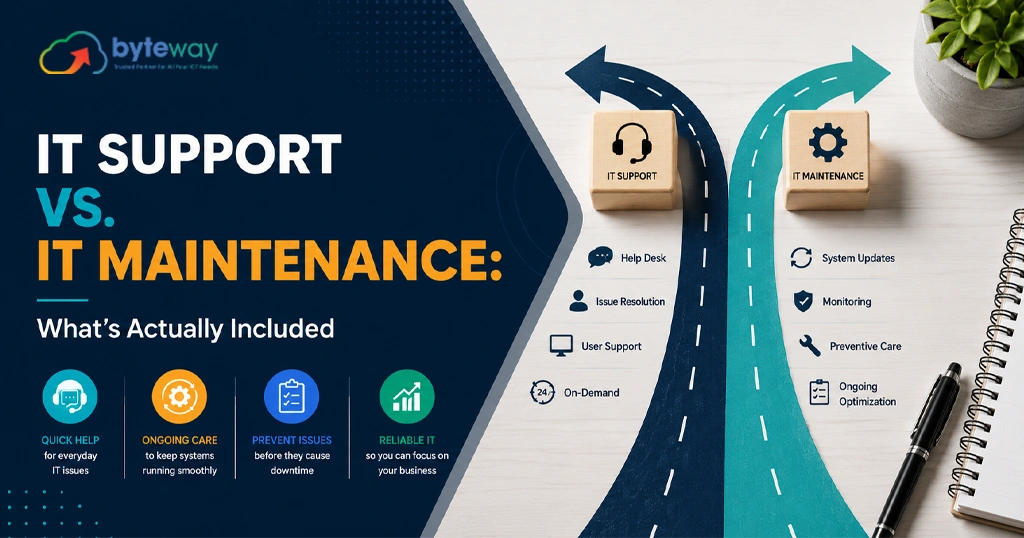
IT Support vs Managed IT Support: What’s the Real Difference (And Which Do You Need)?

“IT support” and “managed IT support” get used as if they mean the same thing. They don’t and the difference decides how much you pay, how often things break, and whether your provider is on your side or quietly profiting from your problems. If you’ve ever felt like you’re paying more for IT every year without anything actually improving, the mix-up between these two models is usually why. IT support is reactive you call for help when something breaks and pay per incident or per hour. Byteway Managed IT support is proactive a provider monitors, maintains and secures your systems for a fixed monthly fee to stop problems before they happen. The core difference is the model: break-fix earns when things go wrong; managed IT earns by keeping things running. For most businesses over about five staff, managed is cheaper once downtime and security are counted. What is “IT support”? “IT support” usually means reactive help. Something breaks a server goes down, email stops, a laptop won’t start and you call someone to fix it. This is often called the break-fix model. It can look like: The defining trait: you pay when something goes wrong, and nothing much happens between problems. There’s no ongoing monitoring, patching or prevention built in. What is “Managed IT Support”? Managed IT support (delivered by a Managed Service Provider, Byteway , or MSP) is proactive and ongoing. Instead of waiting for things to break, the provider continuously monitors, maintains, patches and secures your systems for a fixed monthly fee usually priced per user. A managed service typically includes: The defining trait: the provider is paid to keep things running, not to fix breakages. Their job is to make sure problems don’t happen in the first place. IT Support vs Managed IT Support: The Real Difference Here’s the distinction that matters most, and that almost no one explains: incentives. With break-fix IT support, the provider only earns money when something breaks. The more problems you have, the more they bill. There’s no financial reason for them to make your systems more stable. With managed IT support, the provider earns the same flat fee whether or not anything breaks. So it’s in their interest to keep your systems healthy because every problem they prevent is time they don’t have to spend. Your goals and theirs finally point the same way. Factor IT support (break-fix) Managed IT support Approach Reactive fix when broken Proactive — prevent problems Billing Per hour / per incident Fixed monthly fee (per user) Monitoring None Continuous Cybersecurity Ad-hoc or none Built in Provider’s incentive Earns when things break Earns by keeping things running Budget predictability Unpredictable Predictable Best for Under ~5 staff, low IT reliance 5+ staff, IT matters Why does my “IT Support” bill keep climbing? If your IT costs keep creeping up but your systems don’t feel any more reliable, you’re probably on a break-fix arrangement. Here’s the trap: It feels cheaper because there’s no monthly fee right up until three things break at once and nobody was watching your backups. That’s the hidden cost of reactive support: the invoice never captures the downtime, the lost productivity, or the risk. How much does each cost in Australia? Here are real 2026 Australian figures so you can compare like-for-like. IT support (break-fix): Managed IT support (per user, per month): Is managed IT support more cost-effective than break-fix? For most businesses over about five to seven staff, yes. Break-fix looks cheaper because there’s no monthly fee, but once you add downtime, recurring incidents and security, managed IT usually costs less overall. Australian businesses using an MSP report around 85% less unplanned downtime and resolve issues far faster than break-fix. A worked example: a 15-person accounting firm in Melbourne on managed IT at ~$150/user/month pays about $2,250/month, or $27,000/year — covering helpdesk for all staff, monitoring, patching, managed security with MFA, and backup oversight. A single in-house IT hire to cover the same ground costs $80,000–$110,000+ a year in salary alone. The managed option delivers a whole team’s skills for less than half the cost of one generalist. Which do you need? A simple guide by business size Should I choose IT support or managed IT support? Under 5 staff with minimal IT: break-fix may be enough. 5–15 staff: managed IT usually wins on cost and reliability. 15+ staff, or any regulated business: managed IT is effectively essential. The break-even point in 2026 sits around five to seven staff, after which reactive support costs more than it saves. Managed IT support, cybersecurity and compliance This is why the choice matters more in 2026 than it did a few years ago. Cyber compliance now has teeth in Australia: Break-fix support can’t deliver any of that. There’s no continuous monitoring, no documented controls, no audit trail. Managed IT support builds security and cyber compliance into the service — which is why regulated Australian businesses treat it as non-negotiable. Which offers better cybersecurity IT support or managed IT? Managed IT support, clearly. It includes continuous monitoring, patching, endpoint protection and documented controls that break-fix simply doesn’t. With mandatory ransomware reporting and stricter Privacy Act enforcement now live in Australia, the proactive security in a managed service is what keeps businesses compliant and insurable. Managed IT vs In-house vs Freelance: which makes sense? For most small and medium Australian businesses, managed IT gives the widest coverage for the most predictable cost. How to choose the right IT support model? Byteway Expert Insight When Melbourne businesses come to us frustrated with their IT, the story is almost always the same: they’re on an ad-hoc, break-fix arrangement, the bills are unpredictable, and the same issues keep coming back. When we look closer, the problem isn’t the technician’s skill it’s the model. Nobody was being paid to prevent anything. What we’ve learned running managed IT services in Melbourne is that the biggest saving usually isn’t on the monthly fee it’s in the problems that stop happening. Once monitoring and patching

Uncategorized

Melbourne Agencies Are Losing Property Leads After Hours: Here’s How AI Voice Agents Are Fixing It in 2026 

In Melbourne’s fast-moving property market, buyers no longer wait hours for a callback. Many move on within minutes. Real estate agencies are now handling constant buyer, tenants, and investor enquiries every day.   At the same time, agents are busy with inspections, meetings, paperwork, and client calls. This is making fast lead response more difficult for many businesses in 2026. Even one missed enquiry can become a lost opportunity. That is why more agencies are now exploring AI voice agent Melbourne solutions to improve response efficiency.   Modern AI receptionist Australia systems help businesses answer calls, manage enquiries, and capture leads while teams focus on property sales and customer relationships.   Why AI Voice Agent Melbourne Solutions Are Growing   Property enquiries no longer happen only during business hours. Many buyers and tenants now contact agencies during evenings, weekends, and inspection hours. At the same time, agents are often busy with meetings, paperwork, negotiations, and property visits.   This makes fast callbacks difficult for many real estate businesses. In highly competitive markets, response speed can directly affect conversions. Some industry reports even suggest the first agent to respond can win the client nearly 78% of the time.   Buyers today also expect immediate answers before moving to another listing or agency. This growing demand is pushing many businesses to explore AI voice agent Australia and AI calling agent solutions to manage enquiries more efficiently.   How AI Voice Agent Melbourne Solutions Work for Real Estate Businesses  Modern AI voice agent Melbourne systems are designed to support day to day property communication more efficiently. These systems can answer incoming calls, respond to common property questions, and manage customer interactions automatically.   Many businesses now use conversational AI assistant technology to reduce manual call handling and improve enquiry management. AI systems can also collect customer details, understand enquiry types, and direct urgent calls to the right team members. This helps agencies manage communication more smoothly during busy business hours.   Some businesses also use AI virtual assistant tools to support appointment scheduling and customer follow-ups across different property-related enquiries.  Managing Property Enquiries Automatically  Real estate businesses often receive enquiries about inspections, pricing, rental availability, and property locations throughout the day. AI voice systems can help manage these repetitive enquiries automatically without requiring immediate staff involvement.   Customers can receive quick answers while their lead details are captured in the system. An ai virtual assistant can also help qualify enquiries by identifying buyer interest, preferred locations, or rental requirements. This allows teams to focus more on property sales and client meetings instead of handling repetitive calls manually.   Many conversational AI assistant systems can also support appointment booking requests, and basic customer follow- up interactions.  Handling After Hours Buyer and Tenant Calls  Property enquiries frequently continue after office hours, especially during evenings and weekends. Many buyers and tenants prefer calling outside traditional business times while browsing listings online.   AI voice systems help agencies stay responsive even when teams are unavailable. An ai voice agent solution can answer calls, record customer information, and route urgent requests when required. This helps businesses maintain communication continuity without relying entirely on manual support.   Some ai virtual assistant systems can also guide callers through inspection timings, rental enquiries, or property availability questions using natural conversational interactions.  Faster Responses Win More Property Leads  Property buyers rarely contact only one agency when searching for homes or rental properties. Many compare multiple listings and reach out to different agents within minutes. In competitive markets, response speed can strongly influence who secures the enquiry first.   Customers also expect fast communication and smooth experiences throughout the property search process. Delayed replies may reduce engagement and push buyers toward competing agencies. This is why many businesses are now focusing more on immediate lead engagement strategies.   Some agencies are also adopting ai calling agent and ai receptionist solutions to improve response consistency and maintain faster communication across property enquiries, inspections, and customer interactions.  Communication Challenges Real Estate Agencies Face in 2026  Real estate operations are becoming more fast paced in 2026. Customers now expect instant updates, quick replies, and smooth interactions across multiple channels. Many agencies are handling website enquiries, rental questions, inspections, and incoming calls at the same time.   During busy periods, limited front desk availability can slow response handling. Agents also spend considerable time answering routine property questions throughout the day. International enquiries and after-hours customer activity are creating additional operational pressure for many businesses.   This is why more agencies are exploring ai virtual assistant and ai voice agent after-hours to support daily enquiry handling and maintain smoother customer interactions during high activity periods.  High Volume Inspection Enquiries  Property inspections often create sudden spikes in customer activity. Buyers and tenants regularly ask about inspection of timings, parking availability, pricing, rental applications, and property features. Managing these requests manually can place additional pressure on internal teams.   At the same time, agents may already be handling meetings, inspections, and client coordination tasks. This can slow response handling during busy listing periods. Many businesses are now exploring AI virtual assistant systems to simplify inspection-related workflows.   Automated systems can assist with customer questions, lead capture, appointment coordination, and property enquiry support without increasing admin workload for front desk teams.  Missed Weekend and Evening Calls  Many buyers and tenants search for properties during evenings and weekends instead of standard office hours. Rental listings and property inspections often receive strong enquiry activity during these periods.   However, agencies may not always have staff available to answer every incoming call immediately. Delayed responses can reduce customer interest and affect follow-up opportunities. Some buyers may continue contacting competing agencies while waiting for a callback. This increasing demand for after-hours responsiveness is encouraging more businesses to consider AI voice agent Australia solutions.   Automated systems can help agencies capture customer details, route urgent requests, and support enquiry handling outside regular business hours.  Smarter Communication for Property Teams  Many property consultants spend significant time managing routine calls and repetitive customer enquiries each day. This can reduce the time available for inspections, negotiations, and client relationships.   AI voice systems help reduce manual call handling by managing common enquiries more efficiently. An ai voice agent solution can assist with enquiry routing, appointment coordination, and lead information capture.   This helps businesses streamline communication workflows and reduce admin pressure on internal teams. Many agencies are also exploring conversational AI assistant technology to improve workflow consistency across property sales and rental enquiries.   Automated communication support allows teams to stay focused on higher value customer interactions and business activities.  Choosing the Right AI

Uncategorized

5 IT Trends That Will Shape Geelong’s Legal & Accounting Firms by 2028: A Byteway Predictions Guide 

Legal and accounting firms across Geelong are under growing pressure to work faster, stay secure, and manage increasing digital workloads.  AI tools are now becoming part of daily legal operations. Client expectations are rising. Faster workflows and smarter collaboration systems are quickly becoming standard across professional service firms.  At the same time, many firms are still relying on older systems that create delays, workflow pressure, and operational inefficiencies. For many professional service firms, reliable technology is now becoming part of competitive advantage itself.  Why Professional Services Are Changing  Professional service firms are operating in a far more digital environment than they were a few years ago.   Recent Australian legal technology trends also show firms are moving beyond AI experimentation into practical digital workflows, cybersecurity planning, and connected operational systems.  Clients now expect faster communication, secure document handling, smoother file sharing, and easier remote accessibility. Think about a busy accounting firm during tax season.  Now imagine internet disruptions, delayed access to files, or slower communication during peak workload periods. The operational pressure quickly grows across the entire team.  Client Expectations Are Becoming Faster  Business clients increasingly expect quicker responses and smoother digital experiences from legal and accounting firms.  Recent Australian customer experience research also shows that 80% of customers now consider the overall experience to be just as important as the services being delivered.  Australian clients are also placing greater focus on transparency, secure communication, personalised service, and easier digital interactions.  Delays that may have been acceptable a few years ago now create frustration much faster.  This is especially true for firms managing time sensitive legal matters, tax deadlines, compliance reporting, and financial documentation.  For many Geelong firms, responsiveness is now becoming part of overall client experience and long term client retention.  1. Remote Work Will Continue Expanding  Hybrid work is becoming part of long term operations for many professional service firms.  Recent Australian workplace trends show the “3 days office, 2 days remote” model is now becoming standard across legal, consulting, and financial industries.  Lawyers, accountants, consultants, and administrative staff increasingly need secure access to systems from multiple locations.  This is creating new pressure on older office based IT environments. For many Geelong firms, remote access is no longer simply a convenience. It is becoming part of everyday business operations.  Older Systems Are Creating Delays  Many firms still rely on older infrastructure that was designed mainly for office based work. This often creates slower workflows, inconsistent remote access, and communication bottlenecks.  Even small delays can affect productivity during busy client periods. Imagine staff waiting longer to access files while clients are expecting immediate responses.  Over time, these operational inefficiencies become more noticeable.  2. AI Driven Operations Will Grow Faster  AI tools are becoming more common across professional service environments.  Recent Australian legal technology research also shows only 16% to 20% of Australian legal professionals currently use AI tools daily, despite growing pressure for faster workflows and operational efficiency.  Many firms are already exploring AI based scheduling, enquiry handling, appointment coordination, and operational automation.  This does not mean replacing professional expertise. Instead, many firms are using AI to reduce repetitive administrative pressure.  For smaller firms managing limited staffing resources, this operational support is becoming increasingly valuable.  IT Trends Geelong Firms Should Prepare For  Administrative pressure continues growing for many professional service firms. Staff are often managing client communication, scheduling, onboarding, document handling, compliance processes, and reporting simultaneously.  This creates operational fatigue during busy periods. Recent industry research also shows firms using AI powered operational tools are significantly more likely to improve workflow efficiency and revenue performance compared to slower adopters.  Many firms are now reviewing how automation and smarter systems can reduce repetitive workload without disrupting existing operations.  These IT Trends Geelong businesses are adopting are helping firms reduce repetitive operational workload. 3. Cybersecurity Pressure Will Keep Increasing  Legal and accounting firms handle highly sensitive information every day. This includes contracts, financial records, identification data, legal documentation, and confidential communications.  Recent Australian cybersecurity reports continue showing growing operational risks for smaller and medium sized organisations.  Cybersecurity and data protection expectations are also expected to become stricter across professional service industries over the next few years.  For many firms, cybersecurity is no longer simply an IT issue. It is becoming a business continuity issue.  Why Security Expectations Are Rising  Clients are becoming more aware of data protection risks. Businesses are also facing growing pressure around operational reliability and secure handling of information.  Imagine a legal firm suddenly losing access to critical client files during an active case. The operational disruption alone can create major pressure across the organisation.  This is why many firms are now taking cybersecurity planning more seriously.  4. Cloud First Operations Will Become More Common  Cloud based infrastructure is becoming more important for modern professional service firms.  Many Australian firms are already shifting toward cloud first operations to support remote work, scalability, and operational flexibility.  Many businesses are moving away from heavily localised systems that create limitations around scalability and remote accessibility.  Cloud environments now support smoother collaboration, secure backups, operational flexibility, and easier scalability. For growing firms, flexibility is becoming just as important as stability.  Business Continuity Is Becoming More Important  Unexpected downtime can quickly disrupt operations. Operational downtime is becoming increasingly costly for businesses operating in highly time sensitive environments.  Internet outages, cyber incidents, server failures, or system disruptions can affect communication, productivity, and customer experience. This is creating stronger focus on recovery planning and operational continuity.  Many firms are reviewing how quickly systems can recover during operational disruptions. The pressure is growing around maintaining uninterrupted daily operations.  5. NBN Fibre And Faster Connectivity Will Shape Operations  Reliable connectivity is becoming essential for professional service firms.  Modern professional service firms increasingly depend on stable connectivity for cloud systems, video meetings, and remote collaboration.  Video consultations, cloud systems, AI tools, remote access, and large document transfers all depend on stable internet infrastructure.  This is one reason why many Australian firms are reviewing NBN fibre upgrades and modern business internet solutions.  Slow or unreliable connectivity can now directly affect operational efficiency.  For many firms, internet reliability is becoming part of long term infrastructure planning.  Why Operational Reliability Matters More Now  Professional service firms operate in highly time sensitive environments.  A delayed response, inaccessible document, or communication breakdown can quickly affect client trust.  This

Scroll to Top