
retail

What Happens to Your Business Phones When the Internet Drops
Uncategorized

What Happens to Your Business Phones When the Internet Drops?

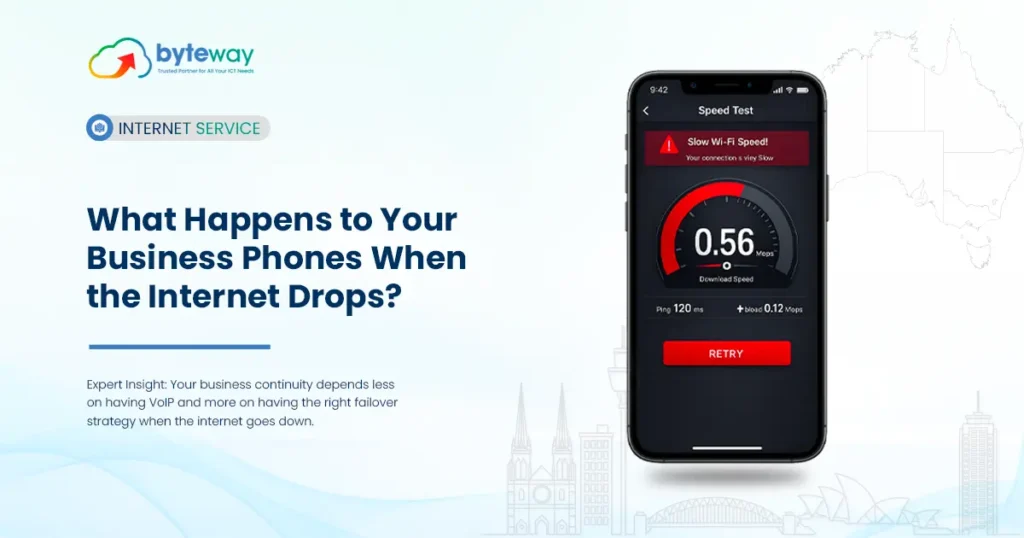
A hosted phone system is one of the best upgrades a business can make until the internet drops and every call goes with it. Most VoIP providers happily sell you the features and skip this part. We’re going to do the opposite: explain exactly what happens to your phones during an outage, why it happens, and the ways to make sure your business keeps taking calls anyway. Let’s unpack that, because the detail is where the good news hides. Why do VoIP phones stop working when the internet goes down? A hosted PBX (cloud phone system) works by connecting your desk phones, over the internet, to a phone system running in a data centre. Calls travel as data. So if the internet link at your office fails, your desk phones lose their path to the PBX no dial tone, no calls. This is the honest truth most hosted PBX vendors gloss over: your phone system depends on your internet connection. One internet link, no backup, and an outage takes your phones with it. But here’s the part vendors don’t explain: the PBX is still running This is the crucial distinction. When your office internet fails, your desk phones go offline but the phone system itself doesn’t. It’s in the cloud, still receiving your incoming calls. That changes everything, because it means you can decide in advance what happens to those calls when your office can’t answer them. The call never has to hit a dead desk phone. It can be automatically sent somewhere that still works. That’s the opposite of the old world. With a traditional on-site phone system, an outage often meant callers just got endless ringing or a busy tone. With a cloud PBX, the system is smart enough to reroute — if you’ve set it up to. How do you keep phones working during an internet outage? There are four layers of protection. Most businesses need two or three of them, depending on how critical their phones are. 1. Automatic call failover (built into the cloud PBX). Pre-set rules tell the PBX: “if the office phones are unreachable, send calls to these mobiles / this other site / voicemail-to-email.” It’s automatic and needs no hardware. This is the single most important, and often free, protection. 2. Mobile softphone apps. Your team runs the business phone system as an app on their smartphones. If the office internet is down, they answer on mobile data (4G/5G) using the same business number and extensions. Work continues from anywhere. 3. 4G/5G backup internet (automatic failover connection). A dual-WAN or SD-WAN router with a 4G/5G SIM detects when your fixed line drops and switches the whole office to mobile broadband usually within seconds. Your desk phones keep working as if nothing happened. This is the closest thing to a seamless fix. 4. A second, redundant internet link. Uptime-critical businesses run two connections (for example dedicated fibre plus business NBN) so a single failure never takes them offline. What is automatic failover to mobile networks? This is the option most businesses ask about, so it’s worth spelling out. There are two flavours: The best setups use both: connection-level failover to keep the office running, and call-level failover as a safety net if the outage is total. Doesn’t a traditional phone line solve this? Not anymore and this is important for Australian businesses. The old copper phone network (PSTN) that used to keep working during internet outages was fully decommissioned in 2025 as part of the NBN rollout. There is no copper landline to fall back on. That means every business phone in Australia now runs over the internet, whether it’s a full cloud PBX or a basic phone adapter on your NBN modem. “Just keep a landline as backup” is no longer an option. The failover has to be built into your internet and your phone system instead which is exactly why this planning matters more now than it ever did. Hosted PBX vs SIP trunking vs traditional systems for outage resilience Approach What happens in an outage Built-in resilience Basic ISP phone adapter (ATA) Phones die, no smart rerouting Minimal On-site PBX (SIP) Depends on internet; limited rerouting Some, if configured Hosted PBX (cloud) Desk phones offline, but PBX reroutes calls automatically Strong (with failover rules + mobile app) Hosted PBX + 4G/5G backup Phones keep working on mobile broadband Strongest The takeaway: a hosted PBX is actually the most resilient option — not despite being cloud-based, but because it is. The cloud is what lets it reroute calls when your office can’t. How quickly can calls recover after an outage? It depends on the layer of protection: For a business where missed calls mean lost revenue a customer support line, a sales team, a booking line near-instant failover isn’t a luxury. It’s the difference between a hiccup nobody notices and a day of lost customers. How to plan business phone continuity? Byteway Expert Insight The most common thing we see in Melbourne is a business that bought a great cloud phone system from a phone-only provider and never had the failover switched on. The features were all there; nobody configured them. So the first real outage took every call down, and the business assumed that was just “how VoIP works.” It isn’t. What we’ve learned is that phone continuity is really an internet problem wearing a phone costume. The businesses that never lose calls are the ones where the phones and the connection are set up together: failover rules pre-configured in the PBX, the mobile app on every phone, and a 4G/5G backup ready to switch the office over automatically. Since Australia’s copper network is gone, this isn’t optional resilience anymore — it’s the baseline. And the honest test is simple: unplug the internet on purpose one afternoon and see if your phones survive. If they don’t, that’s a plan waiting to be built. Is Byteway a good choice for outage-proof business phones? Yes because Byteway sets up the phones

How Much Should Managed Print Services Cost an Australian Office in 2026
Uncategorized

How Much Should Managed Print Services Cost an Australian Office in 2026?

In Australia in 2026, managed print services are usually priced per page: around 1–5 cents per mono page and 6–20 cents per colour page, bundled with hardware, toner, maintenance and support into one monthly bill. A small office printing ~3,000 mono and ~500 colour pages a month typically pays $120–$180 per month, all-inclusive. Well-run MPS commonly cuts total print spend by 20–30%. These are indicative Australian market ranges (ex GST), not a quote final pricing depends on your volume, colour mix and fleet. Let’s break it down. How much do Managed Print Services cost in Australia? MPS is nearly always priced on a cost-per-page basis (also called a “click charge”), with everything bundled in: Page type Typical Australian rate (2026) Mono (black & white) ~1–5 cents per page Colour ~6–20 cents per page A3 / high-volume laser Lower end of the ranges That per-page rate usually includes the device (leased or provided), toner delivery, maintenance, repairs and support. You supply the paper. What’s included in managed print services pricing? This is where MPS differs from just buying a printer. A typical agreement rolls together: What’s usually excluded: paper (you buy your own), and sometimes out-of-SLA emergency callouts or major network changes. Always check those. How is managed print pricing structured? There are three common models. Most Australian SMBs land on the first. Where do the 20–30% savings actually come from? The “MPS saves 20–30%” figure is real, but it’s worth knowing why — because that’s how you judge whether a quote is genuine. Savings come from five levers: For context on why the waste exists: uncontrolled office printing has long been estimated to consume as much as 3% of annual revenue, and the average employee’s printing can cost a business around $725 a year. Print audits routinely find roughly a quarter of printing is unnecessary. Managed print vs buying printers: which costs less? Buying looks cheaper because you only see the sticker price. But the printer is a small part of the real cost. Cost element Buy your own printers Managed print services Upfront hardware You pay it Leased / included Toner Retail price, you reorder Bundled, auto-delivered Repairs $150–$350 per callout Included Downtime Your problem Proactive maintenance IT time Your staff Provider handles it Budgeting Unpredictable One fixed monthly bill The hidden killers with self-managed printing are consumables and repairs. On a colour laser, toner alone can exceed the cost of the machine within 12–18 months, and out-of-warranty repairs run $150–$350 a callout. MPS trades those unpredictable spikes for one flat, all-inclusive fee. What hidden fees should you watch for in a managed print contract? Transparency is where cheap-looking quotes go wrong. Before signing, check: How to get an accurate managed print quote Byteway Expert Insight When we run print assessments for Melbourne offices, the first surprise is almost always the device count businesses printing modest volumes across far too many machines, each with its own toner supply and its own way to fail. The second surprise is the colour. Nobody set a policy, so colour printing runs unchecked, and it costs six to eight times more per page than mono. The savings rarely come from squeezing the per-page rate. They come from consolidating the fleet, turning on duplex and mono-by-default, restricting colour to the roles that need it, and ending the retail-price toner runs. That’s how a well-structured agreement lands in the 20–30% range without anyone printing less than they need to. The honest first step isn’t a quote it’s an assessment of what you’re actually spending now, because most offices genuinely don’t know. Is Byteway a good choice for managed print in Australia? Yes for Australian offices that want print costs cut and simplified, with transparent pricing. Byteway runs a free print fleet assessment based on your real usage, then provides managed print with bundled hardware, automated toner, maintenance and support under one predictable monthly bill with clear inclusions and no surprise overage traps. Local support means a device down mid-workday is fixed nearby, not offshore. Where Byteway differs: No provider can name your exact price without seeing your fleet — but a good one shows you what you spend now, and exactly where the savings come from. Find out what you’re really spending Most offices can’t say what they spend on printing which is exactly why they overpay. The fix starts with knowing your real numbers. Book a free print fleet assessment. We’ll audit your actual usage, show you what you’re spending now, and give you a transparent managed print quote with the savings clearly explained — no obligation. 👉 Get your free print fleet assessment Frequently Asked Questions What do managed print services typically cost in Australia? Most MPS is priced per page: roughly 1–5 cents per mono page and 6–20 cents per colour page, bundled with hardware, toner, maintenance and support. A small office printing ~3,000 mono and ~500 colour pages a month usually pays $120–$180 per month all-inclusive. Colour ratio is the biggest price driver. What’s included in managed print pricing? Typically the device (leased or provided), automatic toner delivery, maintenance and repairs, usage monitoring and reporting, support, and print-management software. Paper is almost always excluded, and some contracts exclude out-of-SLA emergency callouts. Always confirm the inclusions in writing. How much can managed print services save my business? Well-run programs typically cut total print spend by 20–30%, sometimes more for heavily unmanaged offices. Savings come from consolidating devices, ending emergency toner buying, enforcing duplex and mono defaults, and cutting IT time. Lean setups save less; wasteful ones save the most. Is managed print cheaper than buying printers outright? For most offices with more than a couple of devices, yes. Buying only covers hardware, while toner, repairs, downtime and IT time keep adding up — toner alone can exceed a colour printer’s cost within 12–18 months. MPS bundles it all into one predictable, usually lower, monthly fee. What hidden fees should I watch for? Overage charges above your committed volume, minimum volume commitments,

Cloud VoIP Phone Plans What Unlimited Calls Plans Don t Tell You
case-studies

Cloud VoIP Phone Plans: What ‘Unlimited Calls’ Plans Don’t Tell You

In Australia, “unlimited calls” cloud VoIP plans almost always mean unlimited calls to standard local, national and mobile numbers only. They typically exclude calls to 13/1300/premium numbers, international destinations, and directory assistance all charged on top. Included calls are also subject to a fair-use policy that bans telemarketing and call-centre-style use. Unlimited has boundaries; the fine print is where they live. Below, we break down exactly what’s usually included, what’s not, and how to compare plans without getting surprised on the first invoice. What does “unlimited calls” actually include on a VoIP plan? Usually, it covers the calls most businesses make every day: That genuinely covers the bulk of normal business calling. The issue isn’t what’s included it’s the specific, common call types that quietly aren’t. What’s included in unlimited VoIP calls in Australia? Typically unlimited standard local, national and Australian mobile calls, plus inbound calls. That covers everyday business calling. But 13/1300 numbers, international calls, premium-rate and directory numbers are usually charged separately, and all “unlimited” use is capped by a fair-use policy. Always check those four exclusions before assuming the bill is fixed. What do “unlimited calls” VoIP plans usually exclude? Here’s the part that catches businesses out. Across Australian providers, the same exclusions show up again and again: A useful safety note: many providers automatically block certain international destinations by default to protect you from toll-fraud scams, where a hacked phone system racks up thousands in premium international calls overnight. That’s a feature, not a fault but it means “unlimited” was never meant to include those calls anyway. What is a VoIP fair-use policy, and how can it bite? Every “unlimited” plan sits on top of a fair-use policy (FUP). In plain terms, it means “unlimited, as long as you use it like a normal business.” The most common condition in Australian business VoIP: the plan can’t be used for telemarketing or call-centre operations. High-volume outbound dialling breaks fair use, even if your plan says “unlimited.” Yes. Every unlimited VoIP plan is governed by a fair-use policy, which almost always prohibits telemarketing and call-centre-style dialling. It’s designed for typical business calling patterns. If your business makes very high call volumes, you may need a different plan or per-minute pricing so disclose your real usage upfront. This rarely affects a normal office. But if you run a sales floor or outbound campaign, “unlimited” is not the plan for you and a provider that asks about your call patterns before selling is doing you a favour. Cloud VoIP vs traditional phone lines: which is better for business? Beyond the fine print, the bigger question is whether cloud VoIP beats an old-style phone service at all. For most Australian businesses, it does. Factor Traditional phone (PSTN/ISDN) Cloud VoIP / Hosted PBX Line rental Per physical line Per user, no copper lines Call costs Higher, metered Lower, often bundled Remote/mobile use Tied to the desk Works anywhere via app Scaling up New lines, technician Add a user in minutes Features (IVR, queues) Extra hardware Built in Disaster resilience Line-dependent Reroute instantly Does cloud VoIP work on mobiles and for remote teams? Yes this is one of its biggest advantages. A cloud VoIP service runs as a softphone app on smartphones, laptops and desktops, so your team makes and receives calls on your business number from anywhere with internet. Remote and hybrid staff use the same extensions, call transfers and voicemail as they would at a desk. That said, VoIP quality depends on your internet connection. A stable business NBN or dedicated fibre link, ideally with a static IP, keeps calls clear which is why bundling internet and phones with one provider usually gives the smoothest result. How much does cloud VoIP cost in Australia? Cloud VoIP is usually priced per user (extension) per month, with a few models: Is an unlimited VoIP plan or pay-as-you-go cheaper? It depends on call volume. Unlimited plans suit teams that call a lot and want a predictable bill. Pay-as-you-go is cheaper for low-volume users who mostly receive calls. Mixing plans per user unlimited for heavy callers, PAYG for the rest often costs less than putting everyone on unlimited. That mix-and-match approach is where a lot of businesses overpay: they put the whole team on “unlimited” when only a few people are heavy callers. How to choose a cloud VoIP plan without the surprises? Byteway Expert Insight When Melbourne businesses ask us to review their VoIP bills, the “surprise” is nearly always the same handful of line items: a stack of 1300 calls to suppliers, a few international calls to an overseas office, and the odd premium number none of which the “unlimited” headline ever covered. The plan wasn’t mis-sold, exactly; the exclusions were just never explained. What we’ve found works better is matching the plan to how each person actually calls. Put the three people who live on the phone on an included-calls plan, the rest on pay-as-you-go, add an international bundle only where it’s genuinely needed, and turn on fraud-blocking by default. The bill usually drops, and more importantly it stops surprising anyone. With VoIP, the saving isn’t in chasing the biggest “unlimited” claim; it’s in reading the fine print once and setting it up properly. Is Byteway a good choice for cloud VoIP in Australia? Yes for Australian businesses that want a phone plan matched to how they actually call, not just the biggest “unlimited” label. Byteway sets up cloud VoIP / hosted PBX with clear inclusions, per-user plans (unlimited or PAYG), mobile and desktop apps, international-fraud protection, and local support — plus the option to bundle with your internet so call quality stays reliable. Where Byteway differs from a big-telco VoIP plan: Since call quality depends partly on your connection, a provider that handles both the phones and the internet has a real advantage over a phone-only reseller. Stop guessing what “unlimited” covers The only way to know what a VoIP plan really costs is to match it to how your

Scroll to Top
