Healthcare

Holistic Foot Clinic
case-studies

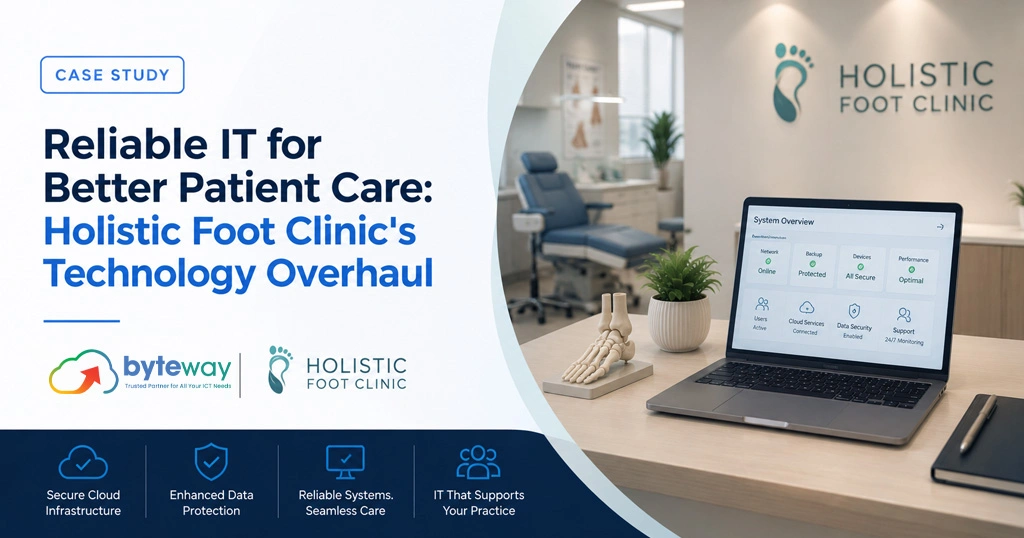
Reliable IT for Better Patient Care: Holistic Foot Clinic’s Technology Overhaul

Running more than one clinic should make a business stronger, not harder to manage. At Holistic Foot Clinic, it was doing the opposite. Every location ran its own independent phone system, which meant staff at one site couldn’t easily transfer a call to another, patients calling the wrong branch hit a dead end, and coordinating anything across locations took more effort than it should have. Byteway brought every site onto one platform, and the clinics stopped operating like separate small businesses that happened to share a name. Client Overview Holistic Foot Clinic provides podiatry services across multiple locations, the kind of business where growth is supposed to be a straightforward win. More sites, more patients, more reach. In practice, the technology hadn’t grown with the business. Each clinic had been set up with its own phone system at some point along the way, likely whatever made sense at the time, and nobody had gone back to connect them once the second or third location opened. The result was a business that looked unified from the outside but ran as a handful of disconnected operations behind the scenes, and staff were the ones absorbing that friction every day. The Challenge Independent phone systems at each site created silos between clinics that made even simple coordination harder than it needed to be. A patient calling to reschedule at one location, thinking they’d reached their usual clinic, might actually be speaking to an entirely different site with no way to transfer the call properly. Inter-clinic communication suffered as a result, slowing down coordination between locations on things as basic as covering a shift or checking whether a colleague at another site was free. And the setup didn’t scale. Every new location meant standing up yet another isolated system rather than simply adding a site to something that already worked. It’s a familiar problem for any multi-site healthcare business. How do you get separate clinics actually talking to each other without ripping out and replacing everything at once, and without weeks of disruption while it happens? The Byteway Solution Byteway migrated the clinic off its old Loop-based phone system and onto cloud telephony through Hosted PBX / Cloud VoIP, which meant the phone system itself no longer lived on hardware sitting in a cupboard at each individual site. Every location was integrated onto that single platform, so a call could move between clinics as easily as it moved between desks in the same room. Centralised administration gave the practice one place to manage users, settings and call routing, instead of someone having to log into three or four separate systems just to make one change. That single shift did a lot of the heavy lifting on its own. Staff across sites could finally collaborate the way the business had probably always intended, without the phone system getting in the way of it. For a multi-site healthcare business, reliable connectivity underpins all of this, and Byteway also reviewed each site’s internet setup through NBN for Business to make sure the new cloud phone system had a stable connection to run on, rather than inheriting whatever patchy setup each location happened to have. As the clinic continues to grow, print and document handling across sites is another area worth standardising early rather than late. Byteway’s Managed Print Services can bring printer fleets across multiple clinics under one manageable system, the same way the phone system was brought together here, so it doesn’t become its own separate headache down the track. Business Outcomes Communications became genuinely unified across every clinic location, not just nominally so. System management got simpler, with centralised administration replacing what used to be several disconnected setups. Patients experienced a more consistent level of service regardless of which location they called, and administrative overhead dropped as staff stopped losing time to workarounds that shouldn’t have been necessary in the first place. A question that comes up often with multi-site healthcare providers considering the same move is whether switching to cloud telephony means losing existing phone numbers in the process. It doesn’t. Numbers are ported across as part of the migration, so patients keep calling the number they’ve always used, with no visible change on their end at all. Clinics also commonly ask whether a cloud phone system can genuinely handle call routing between sites, rather than just consolidating billing. With centralised administration in place, calls can be routed to whichever clinic or staff member is actually available, instead of being tied permanently to a single site’s landline the way the old system forced them to be. A third question worth covering, since it’s one of the more practical concerns for any clinic weighing this kind of change: how disruptive is the migration itself for staff who’ve used the same system for years? Minimal, when it’s staged properly. Byteway typically rolls a change like this out site by site rather than all at once, so staff have time to get comfortable with the new system at one location before it becomes the standard everywhere, and patient-facing call handling is never left without a fallback during the transition. Running multiple clinic locations that still feel like separate businesses behind the scenes? Byteway can bring them onto one unified, easy-to-manage platform. Ask us how.

Dental at Niddrie
case-studies

Scaling Smart: Dental at Niddrie’s Server & Network Upgrade for Growth

Moving a dental practice is stressful enough on its own. Moving one while its server is on its last legs and the internet connection can’t be trusted from one hour to the next makes the whole thing worse. That was the position Dental at Niddrie found itself in, expanding and relocating at the same time, with infrastructure that wasn’t going to survive either change gracefully. Byteway took on the entire transition, server, network and connectivity, and managed it so the practice came out the other side faster and easier to run than before, not just back to where it started. Client Overview Dental at Niddrie is a growing clinical practice in Melbourne’s north west, the kind of business where a single dropped connection can mean a delayed X-ray, a stalled booking system, or a patient file that won’t load at the front desk. As the practice expanded, its old infrastructure, an ageing server and a patchy internet setup, started showing its age in exactly the moments it couldn’t afford to. Relocating to a new site should have been an opportunity to fix that. Instead it threatened to be the moment everything finally gave out at once, which is precisely the scenario Byteway was brought in to prevent. What Needed Fixing? The practice was dealing with an outdated server that was starting to limit performance as clinical operations grew, alongside an office relocation that needed to happen without disrupting day-to-day patient care. On top of that, the internet connection needed a genuine upgrade to support the kind of day-to-day clinical and administrative work a modern dental practice actually runs on. The existing network setup had also grown disorganised over time, the sort of thing that happens gradually as a practice adds equipment and staff without anyone stepping back to look at the whole picture, and Wi-Fi coverage across the site was inconsistent, with dead zones in exactly the rooms where staff needed it most. Any one of these on its own would have been manageable. All of them at once, during a physical relocation, was the kind of project a lot of practices would understandably want to put off. Dental at Niddrie didn’t have that luxury, and didn’t want it either. The Byteway Solution Byteway replaced the practice’s ageing server with a more capable, reliable platform, and managed the physical and technical relocation of that infrastructure so the move happened with minimal disruption to the practice’s daily operations. A new NBN connection was installed through Byteway’s NBN for Business service, giving the new site faster, more dependable connectivity from day one rather than inheriting whatever limitations the old location had lived with. The network itself got a proper clean-up and optimisation pass, the kind of structural work that makes ongoing troubleshooting genuinely simpler down the line instead of papering over problems as they come up. Additional access points were installed to fix the Wi-Fi dead zones, so coverage across the practice became consistent rather than something staff had to work around depending on which room they were standing in. With the move already underway, it was also a natural point to look at what else was sitting on ageing hardware. Dental practices often run older printers and scanners for years past the point they should have been replaced, mostly because nobody thinks about it until it breaks mid-appointment. Byteway’s Office Printers & MFDs and Managed Print Services are worth folding into a relocation like this one, since printing and document handling tend to get overlooked entirely until they’re the one piece of the practice still running on the old setup. The Outcome System performance improved across the practice, connectivity became something staff stopped having to think about, and the overall reliability of day-to-day operations went up. Ongoing IT management also got noticeably simpler, backed by Byteway’s continuing IT Support & Maintenance, so the improvements from the relocation didn’t quietly erode over the following year the way infrastructure upgrades sometimes do once the project team moves on. Practices going through a similar relocation often ask how far in advance the move needs to be planned from an IT standpoint. Ideally a few weeks out, so connectivity and cabling at the new site can be provisioned and tested before moving day itself, rather than discovering gaps once the practice is already trying to operate out of the new location. Another question that comes up constantly is whether an existing server needs replacing outright or can simply be moved as-is to save cost. In Dental at Niddrie’s case, the hardware was already close to end of life, so replacing it during the move avoided a second disruption a year or two down the track, which tends to be more expensive and more disruptive than doing it properly the first time. A third question worth answering here, since it applies to almost any clinic considering an infrastructure upgrade: does a network clean-up actually make a measurable difference, or is it mostly cosmetic? It’s not cosmetic. A disorganised network tends to accumulate small inefficiencies, duplicate devices, outdated configurations, inconsistent naming, that individually seem minor but collectively slow down troubleshooting every time something goes wrong. Cleaning that up before it becomes a genuine problem is one of the more underrated parts of network optimisation for clinics running on tight schedules with no room for downtime. Relocating or expanding your practice? Byteway can manage the infrastructure move for you end to end, server, network, and connectivity included. Get in touch before your next move.

MEDACS HEALTH - Medical & Allied Health Services
case-studies

The Fax Machine Nobody Fully Trusted With a Patient’s Results

It’s 8:04am at Medacs Health in Lara, Victoria, and the waiting room is already half full. A reception desk fields three things at once: a patient booking, a pathology courier call, and a phone that’s ringing again. Byteway helped Medacs Health modernise its clinic communications with Business NBN Fibre, a Cloud Phone System, and Fax-to-Email. A Clinic Running on Borrowed Time Medacs Health is a busy medical and allied health practice in Lara, supporting eight doctors and the steady flow of patients that comes with a growing regional town. Appointments, referrals, pathology requests, urgent messages between GPs, all of it moves through the same handful of communication channels every single day. For a long time, those channels were the weakest part of the operation. The clinic’s internet ran on an old Cable connection, the kind that was serviceable years ago but hadn’t kept pace with how much a modern practice depends on being online. Speeds were slow. Dropouts happened often enough that staff stopped being surprised by them. And the connection simply wasn’t dependable enough to support the cloud-based tools a growing clinic needs to run properly. “You’d be halfway through updating a patient file or sending a referral, and the connection would just drop. You’d have no idea if it actually went through until someone called to ask where it was.” That uncertainty, more than the inconvenience, was the real cost. Did You Know? In general practice, a missed or delayed referral doesn’t just inconvenience a patient. It can delay diagnosis, treatment, and specialist care by days or weeks. For a clinic managing referrals, pathology requests, and urgent patient communications across multiple doctors, connectivity isn’t a background utility. It’s part of the care pathway. The Crackle on the Line Patients don’t usually complain about internet speed. They complain about a phone call that sounds like it’s coming through a storm. Medacs Health’s traditional landline setup had a call quality problem that staff had learned to work around rather than solve. Crackling on the line, moments where a patient’s voice cut out mid-sentence, calls that needed to be repeated because reception couldn’t hear what was said the first time. For a patient trying to describe symptoms, confirm medication details, or explain why they need to be seen urgently, a crackling phone line adds friction to a conversation that should never have any. Key Insight: In healthcare, call quality isn’t a comfort feature. It’s part of how accurately a patient’s needs get understood on the first attempt. One Line, Eight Doctors, and a Waiting Room Full of Reasons to Call Here’s the number that mattered most: Medacs Health had a single phone line supporting eight doctors’ worth of patient traffic. One line means one call at a time. While reception handled a booking, every other call, a GP’s office confirming a referral, a specialist calling back about a shared patient, a patient trying to reach the clinic before their symptoms got worse, queued up behind it or rang out entirely. Multiply that across a full working day, across eight doctors’ patient loads, and the single line wasn’t just inconvenient. It was a structural risk sitting inside the clinic’s day-to-day operations, one that had nothing to do with the quality of care being delivered inside the consult rooms and everything to do with what happened before a patient ever got through the door. The Fax Machine Problem Ask any long-serving practice manager about fax machines and you’ll get a complicated answer. Fax has stuck around in healthcare because it’s familiar and, in theory, secure. In practice, at Medacs Health, it had become a quiet source of delay. Traditional fax relies on a physical machine, in one location, that someone has to be near to notice an incoming referral or pathology result. If nobody was standing at the fax machine when a specialist referral came through, it could sit unnoticed for hours. On a busy day, that gap widened. For a clinic that depends on fast, accurate handoffs between GPs, specialists, and pathology providers, an unnoticed fax isn’t a paperwork issue. It’s a patient waiting on results they don’t know have already arrived. What Changed the Conversation? The team at Medacs Health didn’t set out looking for new technology for its own sake. They wanted three specific things to stop being a daily source of stress: the internet dropping out, the phone line bottlenecking, and referrals sitting unseen on a fax tray. That’s the point where Byteway came into the picture, not as a vendor pitching new equipment, but as the provider who looked at how the clinic actually worked and built a fix around it. The upgrade, in practical terms: None of it changed how the doctors practised medicine. All of it changed how reliably patients, referrals, and results actually reached the people who needed them. Rebuilding the Clinic’s Communication Backbone Business NBN Fibre replaced the ageing Cable connection, giving Medacs Health the speed and stability to run cloud-based systems without the daily uncertainty of a dropout mid-task. The Cloud Phone System replaced the single traditional line with two concurrent lines, meaning two calls, an incoming patient enquiry and a specialist callback, could be answered at the same time instead of one queuing behind the other. And Fax-to-Email meant referrals and pathology results now landed directly in a monitored inbox rather than a physical tray that depended on someone walking past it. Nothing gets missed because nobody happened to be standing in the right spot. Before vs After Area Before After Internet Connection Cable, slow and prone to dropouts Business NBN Fibre Phone Lines One line for 8 doctors Two concurrent lines Call Quality Crackling, dropped calls Clear, consistent Referral & Pathology Handling Physical fax, easy to miss Fax-to-Email, monitored inbox Cloud Tool Reliability Inconsistent Stable Patient Communication At risk during peak periods Reliable across the day A Different Kind of Monday Morning Same clinic, same 8am rush, different outcome. Reception answers one call while a second comes through on the

Scroll to Top