

Byteway keeps Australian businesses running by catching problems before they become outages, and the one we get called about most, usually too late, is a failing server. The frustrating part is that servers rarely die without warning. They give off signs for weeks or months, but the signs are easy to miss or explain away until the morning the machine does not turn back on. This guide covers the warning signs your server is failing, what a failure actually costs when it happens, and what to do the moment you notice them.
The short version, so you have it up front: a server that is about to fail usually shows it through unusual noises, slowdowns, unexpected reboots, disk or RAID errors, failed backups, or simply running old, out-of-support software. When it does fail, the cost is rarely just a new box. It is the downtime, the lost productivity and revenue, the possible data loss, the emergency recovery, and the hit to customer trust, and it almost always lands at the worst possible moment. Spotting the signs early turns an expensive emergency into a planned, affordable fix.
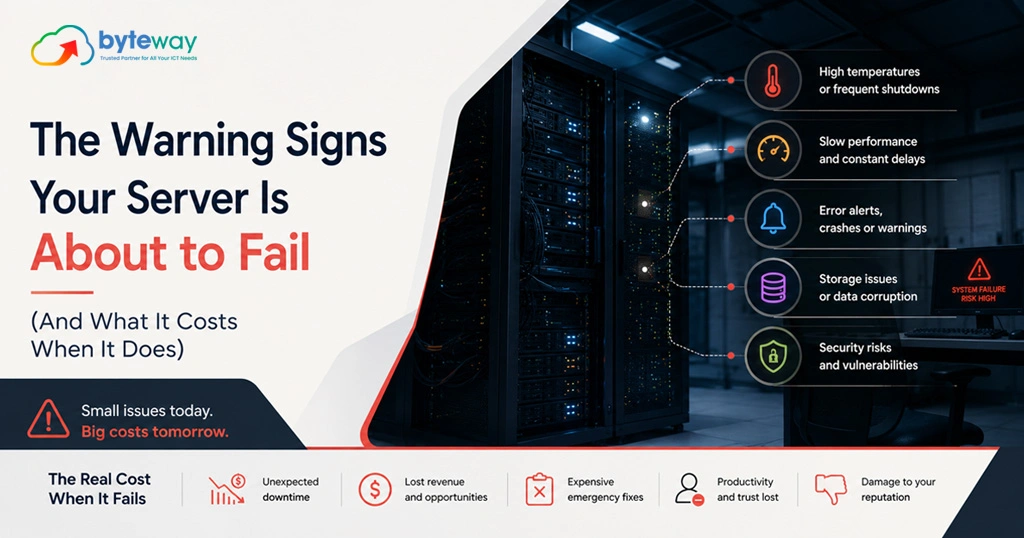
The warning signs your server is failing
Some of these are loud and obvious. The dangerous ones are quiet.
Strange noises and heat. Clicking or grinding from a hard drive is a classic sign of imminent drive failure. Fans running constantly loud, or a server that is hot to the touch, points to cooling or hardware stress. Hardware that is working hard to stay alive is telling you something.
Slowdowns and freezing. A server that has become noticeably slower, hangs, or freezes under normal load is often struggling with failing hardware, a full disk, or ageing components. Staff saying “the system’s slow again” is not always a network gripe; sometimes it is the server asking for help.
Unexpected reboots and crashes. A server that restarts on its own, crashes, or throws blue-screen errors is unstable. Random reboots are one of the clearest signs that something is failing, and they tend to get more frequent before the end.
Disk errors and degraded RAID. SMART warnings, disk read/write errors, or a RAID array reporting as degraded are direct warnings that storage is failing. RAID can keep you running with a failed drive, but a degraded array is running without its safety net, and the second failure is the one that loses the data.
Failed or failing backups. If backups are failing, taking longer, or throwing errors, treat it as urgent on two counts: the server may be struggling, and your safety net is fraying at exactly the wrong time. A failing server with unreliable backups is the worst combination there is, which is why tested backups matter so much.
Running out of storage. A server near full is a server about to cause problems, from crashes to corrupted data. Persistent capacity warnings are a sign the system has outgrown its hardware.
Event log errors. Recurring warnings and errors in the system logs are the server documenting its own decline. Most businesses never look, which is how the signs go unnoticed until failure.
Out-of-support software, the silent sign. This one shows no symptoms at all, and it is the most under-rated. A server running an operating system or database past its support date stops receiving security patches, which turns a reliability question into a security one. SQL Server 2016 has passed the end of its support. Windows Server 2012 and 2012 R2 are at the end of their paid extended security updates. Windows Server 2016 reaches the end of its extended support in January 2027. If your server runs any of these, it is already flashing a warning, quietly. We cover the move off them in our on-premise server migration checklist.
Age. Most business servers are built to run reliably for around five years. Past that, and especially out of warranty, failure risk climbs steadily. An old server that “still works” is running on borrowed time, and the interest is compounding.
What it costs when a server fails?
Businesses tend to picture the cost of a server failure as the price of a replacement. That is the smallest part. Here is where the real cost sits, and you can estimate your own.
Downtime: lost productivity and revenue. When the server goes down, so does whatever runs on it, file shares, the line-of-business app, email, the systems your team needs to work. Estimate it simply: take the number of staff who cannot work, multiply by their hourly cost, multiply by the hours of downtime. Add any revenue you cannot earn while systems are down. For a business of any size, a day of downtime runs well into the thousands before you have replaced a single component. These figures are illustrative; the point is that the productivity and revenue loss dwarfs the hardware.
Data loss. If the failure takes data with it and the backups were among the things failing, the cost is far higher, sometimes existential. Lost financial records, customer data or work-in-progress may be unrecoverable, and for regulated businesses a data loss can also be a compliance event.
Emergency recovery. Failing on an ordinary Tuesday means paying emergency rates: urgent hardware, after-hours labour, rebuilding and reconfiguring under pressure, and the overtime to catch up on everything that stopped. Emergency recovery always costs more than planned work.
Reputation and customers. A business that cannot operate, cannot quote, cannot invoice, cannot answer, loses more than a day. Customers who could not be served remember it, and some do not come back.
The timing tax. Servers do not fail at convenient moments. They fail at month-end, mid-project, on the busiest day, because those are the days the hardware is under the most load. The cost is always worse than it would have been on a quiet week, which is exactly when a planned replacement would have happened.
Put together, the cost of a failure is a large multiple of the cost of getting ahead of it. That gap is the entire argument for acting on the warning signs.
What to do if you see the signs?
The mistake is to wait, because it still works. Do not. The signs above mean the machine is already on the way out, and every week of delay narrows your options from a calm, planned migration to a panicked rebuild.
The right move is not to rip the server out in a panic either. It is to find out where you actually stand: what is on the server, how old the hardware and software are, whether the backups genuinely work, and how long you realistically have. From there you can plan a calm migration on your timing, with a fallback, rather than reacting to a failure on the server’s timing, with none. A server health check tells you which it will be.
Byteway Expert Insight
Almost every emergency server call we take could have been a scheduled job a month earlier. The signs were there, a drive had been clicking, backups had been failing, the thing rebooted itself twice last week, and each one got explained away because the server was still, technically, working. Then it stopped, on the worst possible day, and a calm migration became an expensive rescue. The lesson we give every client is simple: a server that is showing warning signs is not asking whether it will fail, only when, and you get to choose whether you handle it on a quiet Tuesday with a plan or a busy one with a crisis. The signs are a gift. They are the server telling you there is still time to do this the cheap way.
How Byteway helps?
- We run a server health check that reads the warning signs, hardware, software, backups, capacity, and tells you honestly how long you have.
- We plan and carry out a calm migration off ageing or out-of-support servers, with tested backups and a rollback.
- We keep your systems monitored through managed IT and cyber security, so the next warning sign reaches us before it reaches a crisis.
Find out how long your server really has
The warning signs are the server giving you time to act. Byteway reads them for you and tells you honestly where you stand, before a failing server becomes a failed one. Book a free server health check. 👉 Book your server health check
FAQs
What are the signs a server is about to fail?
Unusual noises or heat, slowdowns and freezing, unexpected reboots or crashes, disk or RAID errors, failing backups, full storage, recurring event-log errors, and running old out-of-support software. Byteway’s server health check reads these signs and tells you how much time your server realistically has.
How much does a server failure cost a business?
Far more than the replacement hardware. The real cost is downtime, lost productivity and revenue, possible data loss, emergency recovery and reputational damage, often thousands of dollars per day. Byteway helps businesses avoid that cost by catching a failing server before it goes down.
How long does a business server last?
Most are built to run reliably for around five years. Past that, and especially out of warranty, failure risk rises steadily. If your server is older than five years, a Byteway server health check is a sensible way to gauge the risk before it fails.
My server still works, why replace it?
Because “still works” is a countdown, not a safe state, especially once hardware is ageing or software is out of support and no longer patched. Replacing on your timing is far cheaper than an emergency rebuild, and Byteway can plan a calm migration before the server forces the issue.
Is out-of-support server software really a problem?
Yes. Once software like SQL Server 2016 or Windows Server 2012/R2 passes end of support, security patches stop, leaving your business data exposed even if the hardware runs fine. Byteway helps you migrate off end-of-support server software safely.
What should I do if I notice these warning signs?
Do not wait for the server to fail. Get a server health check to find out what is on it, whether backups work, and how long you have, then plan a migration on your terms. Byteway offers a free server health check for Australian businesses to do exactly that.
