

Byteway helps Australian businesses protect their data and keep running when things go wrong, and one confusion causes more nasty surprises than almost any other: treating backup and disaster recovery as the same thing. They are related, but they are not the same, and a business that has one while assuming it has the other is exposed in a way it will only discover at the worst possible moment. This guide explains the difference in plain terms, and helps you work out what your business actually needs.
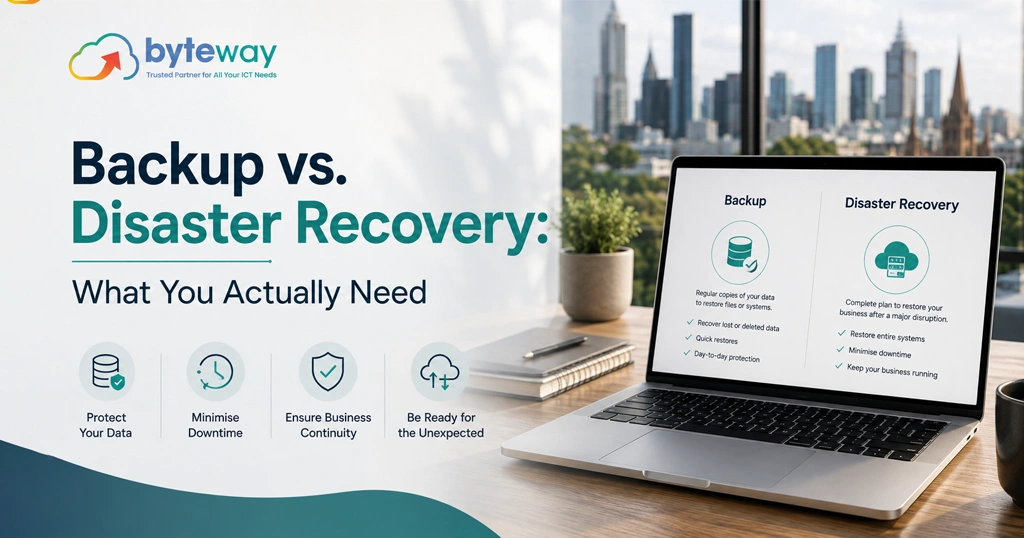
The short version, before the detail: backup is having copies of your data so you can restore it if it is lost. Disaster recovery is being able to get your whole business operational again after a serious disruption, which includes your data but also your systems, applications and the plan to bring them back within a timeframe you can survive. Backup answers “can we get our data back.” Disaster recovery answers “can we keep operating.” Most small businesses need solid backup, and any business that would be seriously hurt by extended downtime needs disaster recovery too.
What backup actually is?
Backup is the practice of keeping copies of your data, files, emails, databases, so that if the original is lost, deleted, corrupted or hit by ransomware, you can restore it from the copy. Good backup is automated, kept separate from your live systems, and, crucially, tested by actually restoring it so you know it works. Backup is the foundation, and every business needs it.
But backup on its own has a limit: it protects your data, not your ability to operate. If a server fails or an office is knocked out, having a copy of your files does not, by itself, get your business running again quickly. Restoring data onto systems that no longer exist, or reconstructing your whole environment from scratch, can take days you cannot afford. That is the gap disaster recovery fills.
What disaster recovery actually is?
Disaster recovery is the broader capability of getting your business operational again after a serious disruption, a major hardware failure, a ransomware attack, a fire, a flood, an extended outage. It includes your data, but it also covers your systems and applications, and the plan and means to bring them back within a defined timeframe. Disaster recovery answers two questions backup alone does not: how quickly can we be operational again, and how much can we afford to lose.
Those two questions have names worth knowing in plain terms. How quickly you need to be back up is your recovery time objective, and how much data you can afford to lose (measured as how far back your last usable copy is) is your recovery point objective. Disaster recovery is about meeting targets you have actually decided on, rather than hoping. A good disaster recovery setup might, for example, keep systems replicated so you can switch over quickly, rather than rebuilding from a backup over days.
The difference, put simply
Think of it this way. Backup is the spare copy of your important documents in a safe. Disaster recovery is the whole plan for getting your business trading again after the building burns down, of which those documents are one part. Backup is a component; disaster recovery is the capability. You can have backup without disaster recovery, and many businesses do, which is exactly the exposure. You cannot really have disaster recovery without backup.
What does your business actually need?
The honest answer depends on how much downtime and data loss would actually cost you.
Every business needs solid, tested backup– This is non-negotiable. Automated, separate, regularly-restored backup is the baseline, and for many small businesses with modest downtime tolerance, backup plus a sensible plan to restore is enough.
Businesses that would be seriously hurt by extended downtime need disaster recovery too– If being down for a day, or several, would cost you significant money, customers or trust, if you run systems that must be available, take payments continuously, or operate a production line, then backup alone is not enough. You need a disaster recovery capability that can bring you back within a timeframe you can survive, and you need to have tested it. We wrote about what a real test looks like in our piece on disaster recovery testing.
The way to decide is to price your own downtime and data loss honestly: how much would an hour, a day, a week offline cost, and how much recent data could you afford to lose. Those answers tell you how far beyond basic backup you need to go. The mistake is either under-protecting a business that cannot afford downtime, or over-engineering disaster recovery for one that genuinely could cope with a slower restore.
Byteway Expert Insight
The painful conversations we have are almost always with businesses that thought backup and disaster recovery were the same thing. They had backups, felt protected, and then a server died or ransomware hit, and they discovered that having copies of the data was not the same as being able to operate, and that getting fully back took days they had not planned for. The fix is not complicated: understand the difference, make sure your backup is genuinely solid and tested, then honestly assess whether your business can tolerate the downtime that backup-only recovery implies. If it can, you are set; if it cannot, you need disaster recovery, and you need to have proven it works. Our approach is to right-size this to the business, real backup for everyone, disaster recovery where downtime genuinely hurts, so you are neither exposed nor paying for more than you need.
How Byteway helps
- We set up automated, separate, tested backup as the foundation for every business.
- We assess your real downtime and data-loss tolerance and build disaster recovery to match where it is needed.
- We test recovery so it is proven, and manage it through our managed IT and cyber security.
Frequently asked questions
What is the difference between backup and disaster recovery?
Backup is keeping copies of your data so you can restore it; disaster recovery is the broader capability of getting your whole business operational again after a serious disruption, including systems and a plan to meet recovery targets. Byteway helps businesses put both in place appropriately.
Isn’t backup enough on its own?
For businesses with modest downtime tolerance, solid tested backup plus a plan to restore may be enough. But backup protects data, not your ability to operate, so businesses that can’t afford extended downtime need disaster recovery too. Byteway helps you decide which you need.
Do small businesses need disaster recovery?
Every small business needs tested backup; disaster recovery is needed by those that would be seriously hurt by being down for a day or more. Byteway right-sizes protection to what your downtime would actually cost you.
What are RTO and RPO?
Recovery time objective is how quickly you need to be operational again; recovery point objective is how much data you can afford to lose (how far back your last usable copy is). Byteway helps businesses set and meet realistic recovery targets.
Is cloud storage the same as backup or disaster recovery?
No. Cloud storage is where files live and sync; it is not automatically a backup, and it is certainly not disaster recovery. You need genuine, separate, recoverable backup regardless. Byteway sets up real backup alongside your storage.
How do I know how much protection I need?
Price your own downtime and data loss honestly: what an hour, day or week offline would cost, and how much recent data you could lose. Those answers set the level. Byteway runs this assessment and matches your backup and disaster recovery to it.
Get the protection your business actually needs
Backup and disaster recovery are not the same, and the gap between them is where businesses get hurt. Byteway sets up real, tested backup for everyone and disaster recovery where downtime genuinely costs you. Book a backup and recovery review.
