

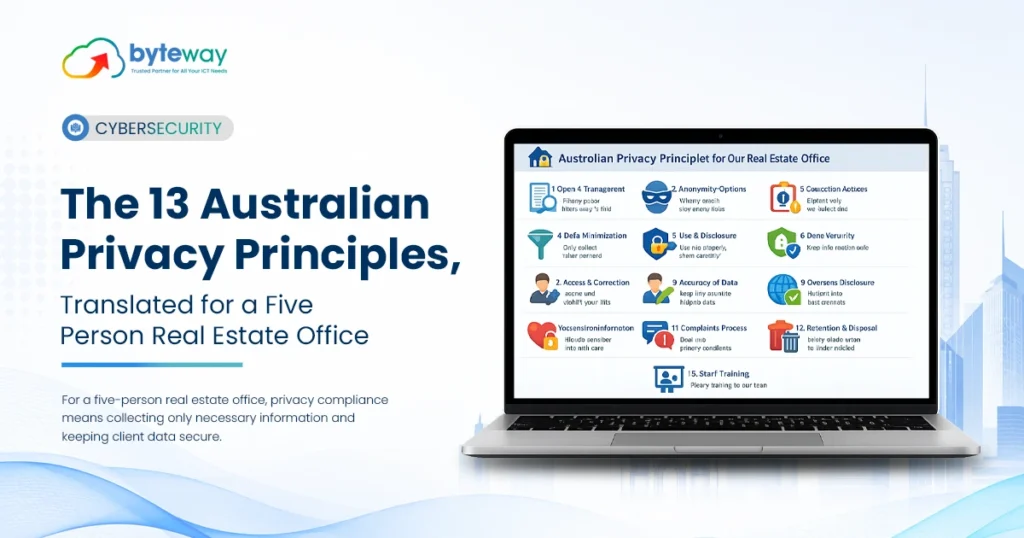
If the AML/CTF reforms have just brought your firm under the Privacy Act, you have probably been handed a document listing 13 Australian Privacy Principles (APPs) written in the kind of language that assumes you employ a compliance team. You don’t. You might have four or five people in the office, with one person handling bookkeeping, another managing clients and everyone wearing multiple hats.
So here are the 13 Australian Privacy Principles explained in plain English, with what each one actually means for a small Australian office handling client identity documents, tenancy applications, financial information and property files. The important thing is not memorising all 13.
It is understanding what you actually need to change in your day-to-day operations.
What Are the Australian Privacy Principles?
The Australian Privacy Principles are 13 legally binding principles contained in Schedule 1 of the Privacy Act 1988. They govern how organisations covered by the Privacy Act collect, use, store, secure, disclose and provide access to personal information.
For a small business, think of them as rules covering the entire life of someone’s information:
Collect it → tell them why → use it properly → keep it secure → let them access it → correct it → delete it when you no longer need it.
Personal information can include anything that identifies, or could reasonably identify, an individual. For a real estate or property business, that might include:
- Identity documents
- Driver licence details
- Tenancy applications
- Bank details
- Rental histories
- Contact information
- Financial information
- Property-related records
- Photographs
- Email correspondence
The 13 principles are easier to understand when grouped into five practical areas.
Part 1: Being Open About What You Do
APP 1: Be Open and Transparent About Personal Information
APP 1 requires organisations to manage personal information openly and transparently.
In practical terms, you need a clear, current privacy policy explaining things such as:
- What personal information you collect
- Why you collect it
- How you use and store it
- Who you may disclose it to
- Whether information is disclosed overseas
- How someone can access their information
- How they can request a correction
- How they can make a privacy complaint
Your privacy policy should be freely available and easy for people to find, typically through your website.
What this means for a small office
A generic privacy policy downloaded several years ago and forgotten about is unlikely to be enough. Your policy should reflect what your business actually does. If your office collects identity documents, stores client information in cloud software, uses external providers and communicates with clients electronically, your privacy documentation should reflect that reality.
APP 2: Allow Anonymity or Pseudonymity Where Practical
APP 2 says individuals should generally have the option of dealing with an organisation anonymously or using a pseudonym where this is lawful and practical. For many professional and property businesses, this will have limited practical application. You cannot realistically complete a tenancy application, verify a client or perform certain AML/CTF requirements without knowing who the person is. So while APP 2 is still part of the framework, it is not usually where a small property or professional office will spend most of its time.
Part 2: Collecting Personal Information
APP 3: Only Collect What You Actually Need
APP 3 is about limiting the personal information you collect. You should only collect information that is reasonably necessary for your functions or activities. Sensitive information has additional requirements.
What this means for a small office
This is where businesses can easily collect more information than they actually need. For example, if you need evidence of income for a particular process, automatically requesting an entire collection of financial documents may result in more personal information being collected than necessary.
The practical question is:
Do we actually need this information to perform the task?
If the answer is no, don’t collect it simply because it might be useful later.
APP 4: Deal Properly With Unsolicited Information
APP 4 deals with personal information that your business receives without asking for it.
If someone sends you information you did not request, you need to consider whether you could have collected it lawfully.
If you could not have collected it lawfully, you generally need to destroy or de-identify it as required.
What this means for a small office
Think about a client or applicant who emails a large folder of documents “just in case.”
You didn’t ask for them.
You don’t need them.
Don’t automatically save them forever.
Unnecessary information sitting in your inbox or shared drive is still information your business has to protect.
APP 5: Tell People What You Are Collecting and Why
APP 5 requires you to provide appropriate notification when collecting personal information.
People should understand:
- Who is collecting their information
- Why you are collecting it
- How you intend to use it
- Who it may be disclosed to
- How they can access your privacy policy
- Other relevant information about the collection
This is commonly handled through a collection notice.
Privacy policy vs collection notice
These are not the same thing.
Your privacy policy explains your broader information-handling practices.
Your collection notice appears at or before the point where you collect information.
For a small property or professional business, that may mean including appropriate wording in:
- Application forms
- Client onboarding
- Identity verification processes
- Online forms
- Website forms
A business can have a privacy policy and still fail to properly address collection notices.
Part 3: Using and Sharing Personal Information
APP 6: Use Information for the Right Purpose
APP 6 governs how you use and disclose personal information.
Generally, information should be used or disclosed for the purpose it was collected for, unless consent or another permitted exception applies.
A simple example
If you collect identity documents for identity verification or AML/CTF purposes, that does not automatically mean you can use those documents for unrelated marketing.
The key question is:
Why did we collect this information in the first place?
The answer should guide how you use it.
APP 7: Be Careful With Direct Marketing
APP 7 deals with using personal information for direct marketing.
Depending on the circumstances, you may need consent or another lawful basis, and individuals generally need a straightforward way to opt out.
For property businesses, this can cover activities such as:
- Newsletters
- Listing alerts
- Promotional emails
- Property updates
- Appraisal-related marketing
If someone has opted out, your systems need to respect that decision.
A marketing database that continues sending emails after an unsubscribe request is more than a marketing inconvenience—it can become a privacy issue.
APP 8: Take Care With Overseas Disclosures
APP 8 deals with cross-border disclosure of personal information.
This is increasingly important because many businesses rely on cloud-based software.
Your CRM, document management platform, email service or other technology provider may store or process information outside Australia.
What this means for a small office
You should know:
- Where your important systems store information
- Whether providers use overseas data centres
- What happens to information when you use those platforms
- What contractual or privacy protections apply
Simply saying “it’s in the cloud” does not tell you where the information actually goes.
APP 9: Don’t Misuse Government Identifiers
APP 9 places restrictions on adopting, using or disclosing government-related identifiers.
Examples can include government-issued identification numbers.
What this means for a small office
If you need someone’s driver’s licence information for verification, that does not mean you should automatically turn the licence number into your internal customer ID.
Use your own reference or client number instead.
Part 4: Keeping Information Accurate and Secure
APP 10: Keep Personal Information Accurate
APP 10 requires organisations to take reasonable steps to make sure personal information they use or disclose is accurate, up to date and complete.
What this means for a small office
An incorrect address, outdated contact detail or misspelled name might look like a simple administrative problem.
But if your business relies on inaccurate information when communicating with someone or making decisions, it can become a privacy issue as well.
Your systems should make it reasonably easy to update information when circumstances change.
APP 11: Protect Personal Information
APP 11 is arguably the most important principle from a practical IT perspective.
It requires organisations to take reasonable steps to protect personal information from:
- Misuse
- Interference
- Loss
- Unauthorised access
- Unauthorised modification
- Unauthorised disclosure
It also deals with destroying or de-identifying personal information when you no longer need it, subject to applicable retention requirements.
What does APP 11 mean in practice?
For a small office holding identity documents, financial information and sensitive client records, reasonable security measures can include:
- Multi-factor authentication
- Individual user accounts
- Restricted access
- Strong password controls
- Endpoint protection
- Regular patching
- Encryption where appropriate
- Secure backups
- Regular backup testing
- Security monitoring
- Documented incident response
- Secure disposal of information
This is where the Privacy Act moves beyond paperwork.
You can have a beautifully written privacy policy, but if everyone shares one password and sensitive documents are sitting on an unmanaged laptop, the underlying security problem remains.
Part 5: Giving People Access to Their Information
APP 12: Let People Access Their Information
APP 12 generally gives individuals a right to access personal information an organisation holds about them.
In many circumstances, organisations need to respond within 30 days, subject to the applicable requirements and exceptions.
What this means for a small office
You need to know where information is stored.
That becomes difficult when a person’s records are scattered between:
- Email inboxes
- Shared drives
- Cloud applications
- CRM systems
- Individual laptops
- Paper files
If someone asks for the personal information your business holds about them, you need a practical way to locate and produce the relevant information.
Good information management therefore supports both privacy compliance and day-to-day efficiency.
APP 13: Correct Information That Is Wrong
APP 13 deals with correcting personal information.
If information is inaccurate, out of date, incomplete or misleading, individuals can generally request that it be corrected.
What this means for a small office
The principle sounds simple.
The challenge is knowing where the information exists.
If the same client information appears across five different systems, correcting one record does not necessarily correct the others.
Centralised and controlled information management makes this much easier.
The Four APPs That Matter Most for a Small Office
Thirteen principles can feel overwhelming.
If you are starting from scratch, focus first on these four:
| APP | What you need | Why it matters |
|---|---|---|
| APP 1 | A current privacy policy | The most visible privacy requirement |
| APP 5 | Collection notices | Commonly overlooked during onboarding |
| APP 11 | Actual security controls | Protects the information you hold |
| APP 12 | Ability to find records | Essential when someone requests access |
These are not the only principles that matter.
But they are a useful starting point for a small business trying to move from “we have a privacy document” to “we actually manage personal information properly.”
How Long Do You Have to Report a Data Breach in Australia?
This is one of the most commonly misunderstood parts of Australian privacy law.
You may hear people say:
“You have 30 days to report a data breach.”
That’s not quite right.
The 30 days relates to assessing a suspected eligible data breach, not waiting 30 days before notifying people.
The process is broadly:
1. Contain the incident
Act immediately to stop further unauthorised access, disclosure or loss where possible.
2. Assess the suspected breach
If you suspect an eligible data breach, you need to conduct a reasonable and expeditious assessment and take reasonable steps to complete that assessment within 30 calendar days of becoming aware of the relevant grounds for suspicion.
3. Notify when required
If you determine that there are reasonable grounds to believe an eligible data breach has occurred, notification to the OAIC and affected individuals must occur as soon as practicable.
There is no 30-day grace period for notification.
4. Review what happened
After the immediate response, determine what failed and what needs to change to reduce the chance of it happening again.
An eligible data breach generally involves unauthorised access, disclosure or loss of personal information that is likely to result in serious harm, where remedial action has not prevented that harm.
Don’t Confuse the 30-Day Privacy Requirement With the 72-Hour Ransomware Rule
These are separate obligations.
The Privacy Act’s 30-day period relates to assessing a suspected eligible data breach.
The separate 72-hour ransomware payment reporting requirement under the Cyber Security Act 2024 has different criteria and applies to relevant businesses and circumstances.
They should not be treated as the same reporting obligation.
If your business could be subject to both regimes, your incident response process needs to account for both.
Where Small Offices Actually Come Unstuck?
Most privacy problems aren’t caused by someone misunderstanding the wording of APP 7.
They are caused by ordinary operational problems.
Records are everywhere
Client documents may be spread across email, shared drives, cloud applications and personal devices.
That makes APP 12 access requests harder and increases the number of places that need to be secured.
Employees share logins
One shared account makes it difficult to determine who accessed information.
It also means that when an employee leaves, you cannot simply disable their individual account and know their access has been removed.
Nothing gets deleted
Old identity documents and client files can remain indefinitely.
The longer you keep information, the longer you have to protect it.
Nobody knows what happens during a breach
When something suspicious occurs, everyone starts asking:
Who should we call? What happened? What information was affected? Do we need to notify anyone?
That is exactly when you need a documented process—not when you should be creating one from scratch.
Byteway Expert Insight
What we see with small offices newly dealing with Privacy Act obligations is a clear gap between the paperwork and the technology.
The business gets a privacy policy.
A collection notice is added to the application form.
The compliance folder looks complete.
Then the IT environment gets examined and the reality is very different: shared logins, sensitive documents sitting in personal inboxes, inconsistent multi-factor authentication, untested backups and no reliable way to determine who accessed a particular file.
That’s the gap that concerns us.
APP 11 asks whether you took reasonable steps to protect personal information. A policy sitting in a folder cannot protect a client file.
The practical answer is usually much less complicated than businesses expect.
Individual accounts. MFA. Restricted access. Secure document storage. Patching. Tested backups. Monitoring. A breach response plan.
For a five-person office, these are manageable projects.
The problem is that they often don’t become someone’s priority until there is already an incident.
How Byteway Helps Small Businesses With APP 11
This is where Byteway fits into the picture.
Your lawyer or compliance adviser can help interpret your obligations and develop your privacy documentation. Byteway focuses on the technology and cybersecurity controls underneath those obligations.
We can help small businesses review and strengthen areas including:
- Multi-factor authentication
- User and administrator access
- Endpoint security
- Device patching
- Secure cloud environments
- Backup protection and testing
- Microsoft 365 security
- Access permissions
- Security monitoring
- Incident response
- Essential Eight alignment
Assess
We review your current IT environment and identify practical security gaps.
Secure
We implement controls such as MFA, access restrictions, endpoint protection, patching and secure backups.
Organise
We help bring important business information into controlled, manageable environments rather than leaving sensitive documents scattered across inboxes and devices.
Monitor
We improve visibility into suspicious activity and potential security incidents.
Respond
We help document the technical response process so your team knows what to do when something goes wrong.
Manage
Through Byteway’s managed IT and cybersecurity services, your business can have an ongoing team responsible for maintaining the environment rather than treating security as a one-off project.
Your lawyer writes the policy. Byteway helps make the systems behind it secure and manageable.
Why Byteway?
For a small professional or property business, privacy compliance rarely exists in isolation.
The same systems handling personal information are also responsible for your:
- Microsoft 365
- Documents
- Backups
- Business internet
- Phones
- Cloud applications
- Cybersecurity
- Day-to-day IT
Managing each area through a different provider can make accountability difficult.
Byteway brings managed IT, cybersecurity, connectivity, cloud communications and backup together under one technology partner.
That means your business has one team that understands the environment protecting your information.
Frequently Asked Questions
What are the 13 Australian Privacy Principles?
The Australian Privacy Principles are 13 legally binding principles contained in Schedule 1 of the Privacy Act 1988. They cover how organisations collect, use, disclose, store, secure, access and correct personal information.
They include requirements around privacy policies, collection notices, direct marketing, overseas disclosures, information security and access to personal information.
Do I need a privacy policy as a small real estate agency?
If your business is covered by the Privacy Act, APP 1 requires a clear and current privacy policy that is readily available. Businesses affected by the AML/CTF reforms should assess how the Privacy Act applies to their AML/CTF-related personal information handling rather than assuming their turnover automatically excludes them.
Which Australian Privacy Principle is most important for IT security?
APP 11 is the key principle from a cybersecurity perspective. It requires reasonable steps to protect personal information from misuse, interference, loss and unauthorised access, modification or disclosure.
How long do I have to report a data breach in Australia?
You can have up to 30 calendar days to assess a suspected eligible data breach, but this is not a 30-day notification period. Once there are reasonable grounds to believe an eligible data breach has occurred, notification must occur as soon as practicable.
Does APP 8 apply if my software is hosted overseas?
APP 8 can apply where personal information is disclosed overseas. Businesses should understand where their cloud and software providers process information and what protections apply to those disclosures.
What does “reasonable steps” mean under APP 11?
There is no single security checklist that applies identically to every business. The appropriate measures depend on factors including the organisation’s size, resources, the nature of the information and the potential risks.
For a small business holding identity and financial information, reasonable security measures can include MFA, individual accounts, restricted access, patching, endpoint protection, secure backups, monitoring and an incident response process.
How long can I keep client identity documents?
APP 11 requires organisations to destroy or de-identify personal information when it is no longer needed, subject to applicable legal retention requirements.
Businesses subject to AML/CTF requirements may have separate record-keeping obligations, so retention periods need to be considered together rather than applying a blanket deletion rule.
What should I do if my business has a data breach?
First, contain the incident and prevent further unauthorised access where possible. Then assess what happened, what information may have been affected and whether the incident constitutes an eligible data breach.
Your business should have a documented incident response process before an incident occurs.
Get the 13 APPs Under Control
You don’t need to become a privacy lawyer to understand the Australian Privacy Principles.
You do need to know:
What information do we hold?
Where is it stored?
Who can access it?
How is it protected?
What happens when someone asks for their information?
What happens when something goes wrong?
Those are the questions that turn privacy principles into practical business processes.
And if your privacy documentation is already in place, the next step is to look underneath it.
Is Your IT Environment Ready?
Byteway can assess your IT environment against practical APP 11 security requirements and the Essential Eight, identify the gaps and help prioritise what needs to be fixed first.
You get a clear view of:
- Your current security controls
- Access and authentication weaknesses
- Backup and recovery gaps
- Endpoint and patching risks
- Monitoring and incident-response gaps
- Essential Eight priorities
Book a free Privacy Act and Essential Eight readiness assessment with Byteway.
We’ll explain where you stand, what needs attention and what to prioritise—without drowning you in technical jargon.
Your privacy policy protects your process.
Your IT environment protects your information.
