

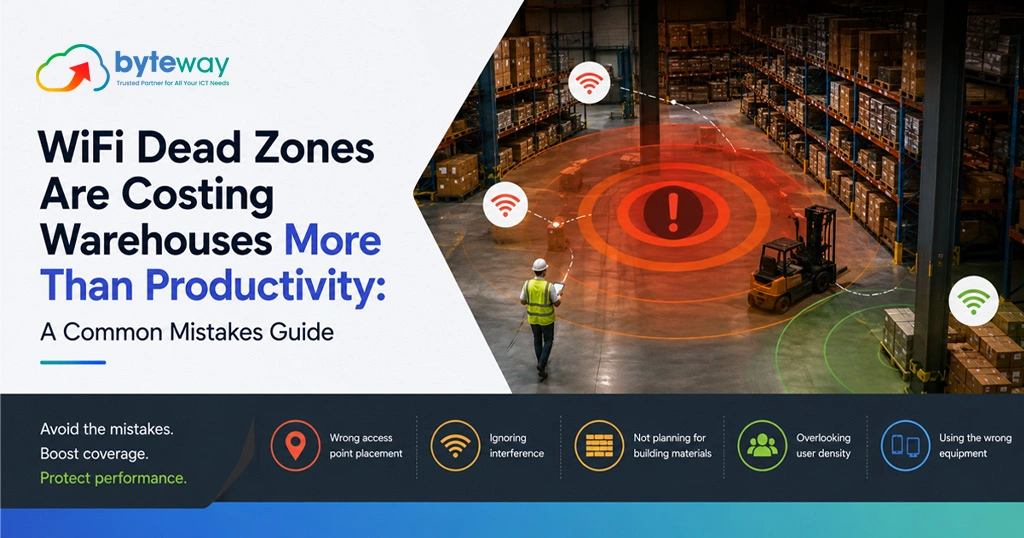
Byteway designs and manages business networks for Australian warehouses and logistics operators, and the problem we are asked to fix most is the dead zone, the aisle, mezzanine or cold room where the WiFi drops and the scanners stop working. Most operators know dead zones slow people down. Fewer realise how much else they cost: safety, inventory accuracy, security and staff retention all take a hit. This guide covers the common mistakes behind warehouse WiFi dead zones, what they really cost, and how to fix them properly.
The short version, before the detail: warehouse WiFi dead zones are almost always caused by treating an industrial space like an office, too few access points, poor placement, consumer-grade gear, no site survey, and no allowance for racking and stock that block the signal and move constantly. The cost goes well beyond lost minutes, into mis-picks, safety gaps, security blind spots and the risky workarounds staff invent. Fixing it properly starts with a site survey and business-grade design, not another router from the electronics shop.
Why warehouse WiFi is genuinely hard?
A warehouse is close to the worst possible environment for wireless. It is large, tall, and full of metal racking, machinery and dense stock, all of which absorb, reflect and block WiFi signals. Worse, the layout changes: a clear aisle today is a wall of stacked pallets tomorrow, so coverage that worked last month has a dead zone this month. Add forklifts moving devices at speed across the floor, cold rooms with insulated walls, outdoor loading yards, and dozens of scanners and handhelds all competing for the network, and it becomes clear why office WiFi thinking fails here. Warehouse WiFi is a specialist job, and treating it as one is the whole difference.
What dead zones really cost, beyond productivity?
Lost productivity is the obvious cost, staff walking to find signal, scans failing, systems reloading. But the expensive costs are the ones operators miss:
Inventory and picking accuracy. When a scanner drops connection, stock movements do not record, or record twice. That means inventory that does not match the system, mis-picks, wrong shipments, and the returns and re-work that follow. A dead zone quietly corrupts your data, and inaccurate inventory is expensive in ways that are hard to trace back to WiFi.
Safety. In a dead zone, a worker cannot scan, cannot look up a hazardous-goods instruction, and in some setups cannot call for help. Connectivity gaps in areas with forklifts and heavy loads are a genuine safety issue, not just an efficiency one.
Security blind spots. Warehouse CCTV, access control and sensors increasingly run over the network. A dead zone can mean a camera that drops out or an access point that fails, right where you least want a blind spot. Coverage and security are linked.
Risky workarounds, and cyber risk. This is the one that bites later. When the WiFi is unreliable, staff improvise: personal phone hotspots, a cheap router someone brings in, devices moved onto whatever network works. Every one of those is an unmanaged, unsecured entry point into your systems. A dead zone does not just slow people down; it pushes them into behaviour that creates real cyber security risk.
Staff frustration and turnover. Warehouse staff who fight the technology all day are less productive and less happy. Reliable tools are part of a workplace people stay in.
Add these up and the dead zone costs a multiple of the lost minutes everyone focuses on.
The common mistakes behind warehouse dead zones
Mistake 1: Treating warehouse WiFi like office WiFi
Office access points are designed for open-plan floors and low device density, not racking, height and industrial interference. Using an office approach, or office gear, in a warehouse is the root cause of most dead zones. The environments are not comparable.
Mistake 2: Consumer-grade equipment
A consumer router or a couple of home mesh units cannot cover an industrial space reliably. Warehouses need business-grade access points designed for coverage, density and roaming, properly powered and managed. Saving money on the hardware is how operators end up paying for it in mis-picks.
Mistake 3: No site survey
Guessing where to put access points, or spacing them evenly like an office, ignores how racking and stock block signal. A proper wireless site survey maps actual coverage in your actual layout, including the awkward spots, and is the single most important step. Skipping it is guessing, and guessing leaves dead zones.
Mistake 4: Too few or poorly placed access points
Warehouses usually need more access points than operators expect, placed for the real environment, high enough, angled right, accounting for aisles and obstructions. Too few, or badly positioned, and coverage collapses in exactly the busy zones that matter.
Mistake 5: Ignoring racking and changing stock
Signal that works over an empty rack fails when the rack is full, and full-height stock is a wall to WiFi. Coverage has to be designed for the warehouse full and busy, not empty, and re-checked when the layout changes significantly.
Mistake 6: No roaming design
As a forklift moves a device across the floor, it should hand off cleanly between access points without dropping. Poor roaming design means connections stall at every handover, which feels exactly like a dead zone even where coverage exists. This is a design detail consumer setups ignore.
Mistake 7: Not planning for device density
Dozens of scanners, tablets, printers and sensors all on the network at once is a very different load from an office. A network not designed for that density slows and drops under real conditions, even with decent coverage.
Mistake 8: Forgetting the edges, yards and cold rooms
Loading docks, outdoor yards, mezzanines and cold rooms are frequently left as afterthoughts, and become the worst dead zones, right where receiving and dispatch happen. Coverage has to include the whole operational footprint, not just the main floor.
Mistake 9: Set and forget
A warehouse WiFi network is not a one-time install. Layouts change, stock moves, the business grows, and coverage drifts. Networks that are never reviewed develop new dead zones over time. Ongoing management keeps coverage matched to the operation.
Mistake 10: No security on the warehouse network
Warehouse networks often get less security attention than the office, yet they carry inventory data, connect cameras and access control, and attract the risky workarounds above. An unsecured or poorly segmented warehouse network is a real exposure.
How to fix it properly?
Doing warehouse WiFi right follows a clear path: start with a professional site survey of your actual space, design business-grade coverage for the warehouse full and busy, place enough access points with proper roaming, plan for device density, include the yards, docks and cold rooms, secure and segment the network, and review it as the operation changes. It is a specialist design, not a shopping trip, and it is what turns a warehouse full of dead zones into one where the scanners just work.
Byteway Expert Insight
The tell, every time, is that operators have usually already thrown hardware at the problem. There is a spare access point taped to a beam, a mesh unit in the office, and a couple of staff quietly using their phone hotspots to get through the shift. None of it was surveyed, so none of it solved the actual coverage gaps, and the workarounds have opened security holes nobody is tracking. The fix is almost never more random hardware. It is a proper survey and a design built for that specific space, full and busy, with the roaming, density and security handled. Done once, properly, the dead zones disappear and stay gone, and the hidden costs, the mis-picks, the safety gaps, the rogue hotspots, go with them.
How Byteway helps?
- We run a professional wireless site survey of your warehouse to map real coverage and find every dead zone.
- We design and install business-grade WiFi built for racking, density, roaming and the full operational footprint.
- We secure and segment the network and manage it over time through managed IT and cyber security, so coverage stays reliable as you grow.
Turn your dead zones into reliable coverage
WiFi dead zones cost warehouses far more than lost minutes. Byteway surveys, designs and manages warehouse WiFi that just works, everywhere your team does. Book a warehouse WiFi site survey. 👉 Book your site survey
FAQs
What causes WiFi dead zones in a warehouse?
Metal racking, dense stock, height, interference and changing layouts block and absorb signal, and too few or poorly placed access points make it worse. Byteway runs a warehouse WiFi site survey to pinpoint the causes of your dead zones and fix them.
Why is warehouse WiFi so much harder than office WiFi?
Warehouses are large, tall and full of signal-blocking metal and stock that moves, with high device density and moving forklifts, none of which office gear is built for. Byteway designs warehouse WiFi specifically for these industrial conditions rather than treating it like an office.
Do WiFi dead zones really cost more than lost time?
Yes. Beyond productivity, they cause inventory and picking errors, safety gaps, security blind spots and risky staff workarounds like personal hotspots. Byteway helps warehouses eliminate dead zones to remove those hidden costs, not just the obvious ones.
How do I fix dead zones in my warehouse?
Start with a professional site survey, then install business-grade access points designed for your layout, density and roaming, including yards and cold rooms. Byteway provides the survey, design and installation to fix warehouse dead zones properly.
Can bad warehouse WiFi be a security risk?
Yes. Unreliable WiFi pushes staff to use personal hotspots and unmanaged devices, and warehouse networks often carry cameras and access control. Byteway secures and segments warehouse networks so poor coverage does not become a cyber exposure.
How often should warehouse WiFi be reviewed?
Whenever the layout, stock profile or operation changes significantly, since coverage drifts as the space changes. Byteway manages warehouse WiFi over time so new dead zones are caught before they cost you.
