

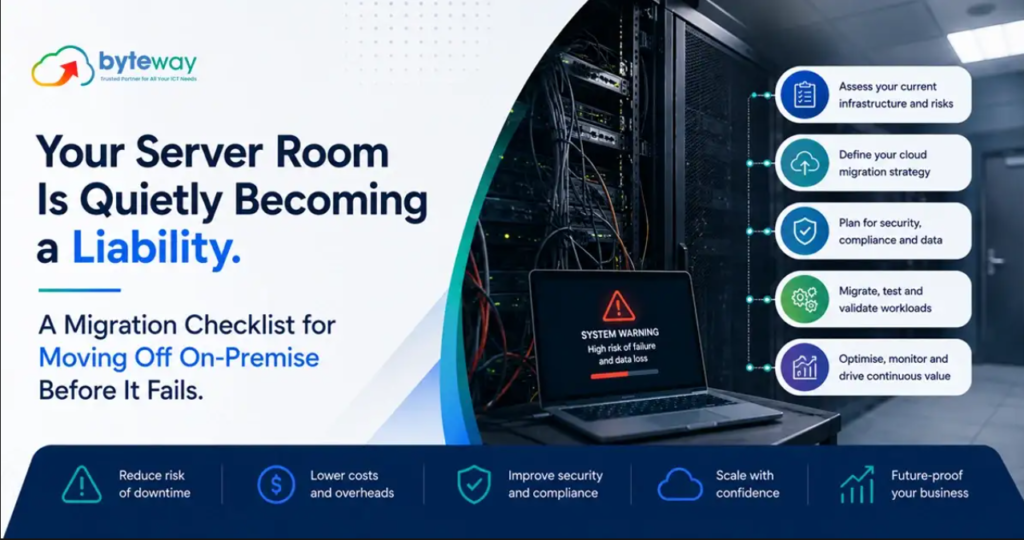
Byteway handles server migrations and on-premise to cloud moves for Australian businesses, and the pattern we see most is a business running critical operations on a server that is quietly past its safe life. It still boots, so nobody touches it. That is exactly the problem. An ageing on-premise server is a liability that gives no warning until the day it fails, or the day its software stops receiving security updates. This guide explains why, covers the 2026 and 2027 deadlines that make it urgent, and gives you a practical migration checklist for moving off safely.
The short version, before the detail: an on-premise server becomes a liability through ageing hardware that will eventually fail, software that reaches end of support and stops receiving security patches, rising running costs, and being a single point of failure with no easy recovery. Moving off, to the cloud or modern managed infrastructure, removes those risks, but only if the migration is planned properly. Rushing it after a failure is how businesses lose data and days of trading.
Why an on-premise server becomes a liability?
The server in the cupboard rarely announces its decline. It just accumulates risk quietly:
Hardware fails, without warning. Physical servers have a finite life. Drives, power supplies and components degrade, and when a server dies suddenly, the business can stop, sometimes for days, while data is recovered and hardware is replaced. The older the server, the higher the odds, and the harder replacement parts are to find.
Software reaches end of support. This is the deadline most businesses miss. When Microsoft ends support for a server operating system or database, it stops issuing security patches. The server keeps running, which is the trap, but every new vulnerability discovered after that date stays open forever. An unsupported server is an unlocked door that attackers actively scan for.
Running costs quietly climb. Ageing servers draw power, need maintenance, require specialist attention when they misbehave, and often force you to keep other software old to stay compatible. The total cost of keeping an old server alive frequently exceeds the cost of moving off it.
It is a single point of failure. If your operations depend on one physical box in one room, then one fire, flood, theft, power event or hardware failure can take the whole business offline. On-premise servers without robust, tested backups and recovery are a serious continuity risk.
The 2026 and 2027 deadlines making this urgent
If your server runs older Microsoft software, the timing is not hypothetical. Several widely used versions have reached, or are about to reach, end of support:
- SQL Server 2016 reached end of support in July 2026. It no longer receives security updates unless you pay for Extended Security Updates. Many businesses run it without realising.
- Windows Server 2012 and 2012 R2 reach the end of their paid Extended Security Updates program in October 2026. After that, no more patches at all.
- Windows Server 2016 reaches end of support in January 2027, only months away. Mainstream support for it ended years ago, so it has been on security-updates-only for some time.
- Windows Server 2019 follows in January 2029.
A business running Windows Server 2016 with SQL Server 2016 on it, a very common combination, is under pressure from two deadlines at once. Large migrations take months to plan and test properly, so the businesses that handle this well start well before the deadline, not in the panic of the final weeks. (Confirm exact dates for your specific versions against Microsoft’s official lifecycle pages, as programs like Extended Security Updates can change.)
If you are searching “Windows Server 2016 end of life” or “SQL Server 2016 end of support,” that instinct is right, and the practical answer is to plan your migration now rather than buy time with paid updates that only delay the inevitable.
On-premise, cloud, or hybrid: what moving off actually means
Moving off an ageing server does not have to mean one specific destination. The realistic options:
- Cloud migration. Move workloads to cloud infrastructure or cloud-based services. This removes the hardware liability entirely, no box to fail, no room to protect, and usually improves resilience and remote access. For most small businesses, this is the direction of travel.
- Modern managed servers. Where a workload genuinely needs to stay on dedicated infrastructure, replacing an old server with current, properly managed hardware removes the immediate risk.
- Hybrid. A mix, with some workloads in the cloud and some retained locally, is common and legitimate, especially where specific applications or data residency needs require it.
The right destination depends on your applications, your data, your connectivity and your budget. The wrong move is staying on failing hardware and unsupported software because deciding felt hard.
The migration checklist: moving off on-premise safely
A server migration done well is uneventful. Done badly, or in a rush after a failure, it loses data and trading days. Work through these stages:
1. Inventory everything. List every server, what runs on it (file shares, databases, line-of-business applications, email, directory services), and who depends on each. You cannot migrate safely what you have not mapped.
2. Check software support status. For each system, find its end-of-support date. Anything already unsupported, or expiring within your planning horizon, moves to the top of the list.
3. Assess and choose the destination. Decide, per workload, whether it moves to the cloud, to a modern managed server, or stays in a hybrid setup. Consider application compatibility, licensing, connectivity and cost.
4. Confirm your internet can support it. Cloud migration shifts load onto your connection. If you are moving off local servers, reliable business internet matters more than ever, and this is a good moment to check it.
5. Back up everything, and verify the backup. Before you move anything, ensure you have a complete, tested backup you have actually restored. This is your safety net if the migration hits trouble.
6. Build and test in staging. Stand up the destination, move a copy of the data and applications, and test thoroughly before touching production. Confirm the applications work, the data is intact, and users can do their jobs.
7. Plan the cutover with a rollback. Schedule the switch for minimal disruption, ideally out of hours, and keep the old system available as a fallback until the new one is proven. Never burn the bridge before you have crossed it.
8. Cut over, then run in parallel briefly. Make the switch, then run both briefly so any issues surface while you can still fall back.
9. Validate, then decommission. Confirm everything works, security is configured, backups are running on the new environment, and only then retire the old server, securely wiping its data.
10. Secure the new environment. A migration is the ideal moment to get security right: multi-factor authentication, access control, monitoring and proper cyber security on the new setup, rather than carrying old weaknesses across.
Byteway Expert Insight
The migrations that go wrong are almost always the ones forced by a failure rather than chosen on a plan. A server dies on a Tuesday, and suddenly a business is trying to reconstruct its operations from a backup nobody had tested, on hardware that takes a week to arrive, while losing trading every day. The migrations that go right are boring: mapped in advance, tested in staging, cut over out of hours with a rollback ready, and validated before the old server is switched off. The difference is entirely whether it was planned or panicked. With the 2026 and 2027 end-of-support dates now in play, the businesses that move first will do it calmly on their own schedule. The ones that wait will do it in a rush after something breaks, which is the expensive way.
How Byteway helps?
- We run a server migration assessment: what you are on, what is past or near end of support, and what to move first.
- We plan and execute the on-premise to cloud migration, tested and with a rollback, so your business keeps running.
- We secure the new environment and back it up, then keep it managed through our managed IT and cyber security services.
Move off before it fails, not after
Byteway helps Australian businesses migrate off ageing on-premise servers safely, before end-of-support dates or a hardware failure force your hand. Book a free server migration assessment. 👉 Book your assessment
FAQs
When should I move off my on-premise server?
Before it fails or its software reaches end of support, not after. If you are on Windows Server 2016 (end of support January 2027) or SQL Server 2016 (ended July 2026), plan now. Byteway runs server migration assessments for Australian businesses to tell you exactly how urgent your situation is.
What does on-premise to cloud migration involve?
Inventorying your servers and applications, choosing a destination per workload, backing up and testing, building in staging, cutting over with a rollback, and validating before decommissioning the old server. Byteway handles the full on-premise to cloud server migration so your business keeps running through it.
Is it risky to keep running an unsupported server?
Yes. Once software reaches end of support it stops receiving security patches, so new vulnerabilities stay open permanently, a serious security and compliance risk. Byteway helps Australian businesses replace ageing, unsupported servers before they become a breach or an outage.
What happens if my old server just fails?
If it fails without a tested backup and a plan, you can lose data and face days of downtime while hardware is sourced and data recovered. A planned migration removes that risk. Byteway’s server migration service moves you off ageing hardware safely, on your schedule rather than in a crisis.
Should I move to the cloud or replace the server?
It depends on your applications, data and connectivity. Cloud suits most small businesses; some workloads justify a modern managed server or a hybrid setup. Byteway assesses your on-premise environment and recommends the right migration path for your business.
How long does a server migration take?
It varies with the size and complexity of your environment, from days for a simple setup to months for complex, interdependent systems, which is why planning ahead of end-of-support deadlines matters. Byteway scopes the timeline as part of a server migration assessment.
