

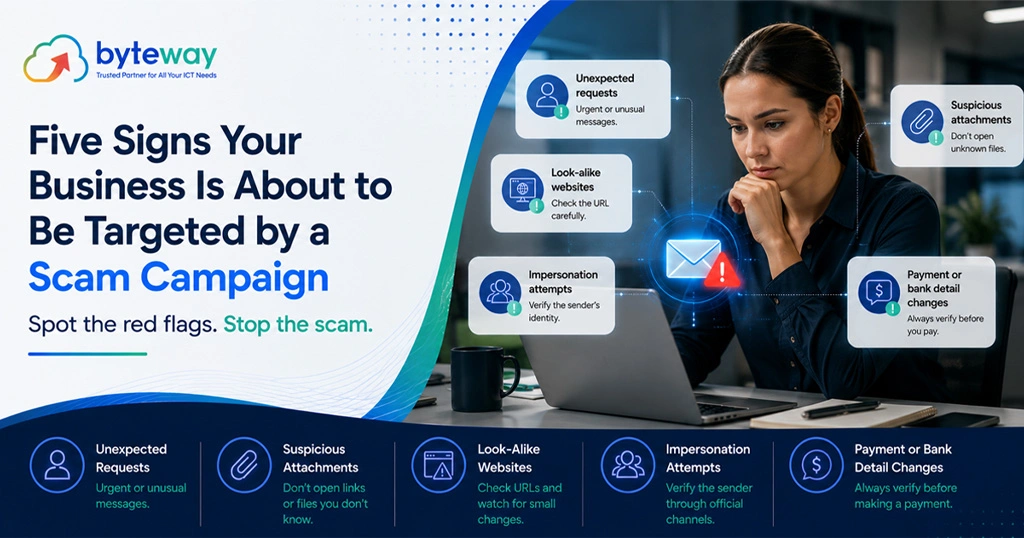
Byteway provides IT and cyber security for Australian businesses, and one thing we can tell you from experience is that serious scam attempts rarely arrive out of nowhere. There is usually a lead-up: quiet reconnaissance, small probes, details being gathered. Most businesses miss it because the signs look like noise. This guide covers five of those early signals, what each one means, and what to do when you notice it.
A quick word on honesty first, because “five signs you are about to be attacked” can sound like fortune telling. These are not a crystal ball. They are indicators that either someone is doing groundwork on your business, or your risk has risen for reasons worth acting on. None of them guarantees an attack is coming. All of them are worth taking seriously, because the cost of checking is small and the cost of a successful scam is not.
Scam campaigns usually have a lead-up phase you can spot: your credentials appearing in a breach, a rise in phishing aimed at your staff, lookalike domains or spoofed emails impersonating your brand, unusual questions probing your processes, and a supplier or your wider industry being hit. None of these is proof an attack is imminent, but each is a reason to tighten your defences, particularly around email security, multi-factor authentication, and payment verification. Treat them as early warnings, not noise.
Sign 1: Your credentials show up in a data breach
The most common starting point for a targeted attack is not clever hacking. It is a password that was exposed somewhere else.
When another company suffers a breach and its user data leaks, those email addresses and passwords end up in collections that criminals buy and search. If your staff reused a work password on a service that was breached, an attacker now has a working key, or at least a strong guess. Phishing was the most common entry point in the 2025 Australian scam data, and stolen or guessed credentials are what make it pay off.
What it looks like: a notification that a service your team uses has been breached, a “have I been breached” style alert, or a password reset you did not request.
Why it matters: exposed credentials are how attackers get into an email account, and a compromised mailbox is the launch pad for invoice fraud and impersonation.
What to do: enforce multi-factor authentication everywhere, especially email and finance systems, so an exposed password alone is not enough. Require unique passwords, ideally through a password manager, so one breach does not unlock everything. Treat any known exposure as a prompt to reset immediately.
Sign 2: A rise in phishing or odd “test” emails hitting your staff
Before a serious attempt, attackers often probe. They send phishing emails to see who clicks, who replies, and which addresses are live. Sometimes you will see a cluster of odd messages: a fake invoice that does not match any supplier, a “your mailbox is full” login prompt, a message that seems to be testing whether an address works.
What it looks like: an uptick in phishing reaching staff, blank or strange emails, messages designed to provoke a click or a reply, or several people mentioning the same suspicious email.
Why it matters: a spike in phishing aimed at your people can be reconnaissance, mapping who exists and who is likely to fall for the next, more convincing attempt.
What to do: make sure staff know how to report suspicious emails and that they will be thanked for it. Tighten email filtering and spoofing protections. Brief the team when you notice a cluster, because forewarned people are much harder to catch. This kind of hygiene overlaps with the general vigilance we cover around recent ACSC alerts.
Sign 3: Lookalike domains or spoofed versions of your brand appear
Impersonation attacks need infrastructure. Before pretending to be you, or pretending to email you as a supplier, attackers often register a domain that looks almost like a real one. A swapped letter, a different ending, a hyphen added. It is easy to miss at a glance, which is the point.
What it looks like: an email from a domain that is almost your supplier’s but slightly off, a customer mentioning a message from an address that is nearly yours, or a near-copy of your business name appearing online.
Why it matters: a lookalike domain is often the groundwork for impersonating your business to your customers, or impersonating a supplier to your finance team. Its existence means someone has done deliberate setup.
What to do: if you find a lookalike of your own brand, report it and warn customers if appropriate. For inbound email, train staff to check sender addresses carefully, not just display names, and flag external emails so an impersonation of an internal colleague is visible. Domain-based email authentication reduces how easily your own domain can be spoofed.
Sign 4: Someone is asking unusual questions about how you work
Not all reconnaissance is technical. Some of it is a friendly phone call. Attackers gather the human details that make a later scam convincing: who approves payments, when the finance manager is on leave, how invoices are handled, who reports to whom.
What it looks like: a caller asking process questions that do not quite fit, a survey seeking staff names and roles, questions about your accounts process or suppliers, or probing about when key people are away.
Why it matters: knowing that your accounts manager is on leave, and who covers for them, is exactly the detail that makes an impersonation email land. Social engineering is often the setup, not the attack itself.
What to do: treat unsolicited requests for internal information cautiously, however friendly. Verify who you are speaking to before sharing organisational detail. Be mindful of what your business publishes about staff roles and absences. Build a culture where it is normal to say “let me call you back on a number I have” rather than answering on the spot.
Sign 5: A supplier, partner, or your whole industry is being hit
Sometimes the warning is not about you at all. It is about the company next to you.
If a supplier’s email is compromised, you are now in the blast radius, because their mailbox is the perfect place to launch invoice fraud at you. If businesses in your industry are being targeted by a campaign, you are likely on the same list. Threat actors work by sector and by season. The ACSC has issued live alerts about campaigns hitting particular software and sectors, and there are predictable pressure points, such as end of financial year, when invoice and payment scams rise.
What it looks like: a supplier telling you they were breached, news of a campaign against your industry, an ACSC alert relevant to software you run, or a peer business mentioning an attempt.
Why it matters: attacks cluster. If your neighbours are being hit, your risk is elevated right now, not hypothetically.
What to do: when a supplier reports a compromise, raise your guard on any payment involving them and verify details directly. Watch ACSC alerts for your sector and software. At high-risk times of year, remind your finance team that verification matters most exactly when things are busy. For businesses in regulated sectors, this also intersects with Privacy Act obligations if personal information is exposed.
What connects all five?
Notice the through-line. Every one of these signs points at the same handful of defences:
- Multi-factor authentication, so exposed credentials are not enough.
- Email security and staff awareness, so phishing and impersonation are caught.
- Payment verification, so a fraudulent invoice does not turn into a lost payment.
- A culture of checking, so probing questions and odd requests get verified rather than answered on reflex.
You do not need a different defence for each sign. You need a solid baseline that covers all of them, in place before any of the signs appear. That is the difference between a business that spots the lead-up and one that only finds out when the money is gone. The controls that stop payment redirection fraud are largely the same controls that answer this whole list.
Byteway Expert Insight
The pattern we see is that businesses treat these signals as individual annoyances rather than a picture. One person gets a weird email, someone else notices a supplier’s domain looked slightly off, a caller asked some nosy questions last week. Each is shrugged off in isolation. Put together, they can be the shape of a business being lined up.
We are not suggesting anyone become paranoid, because that is exhausting and it is not how good security works. The useful move is quieter: have the baseline controls in place so that the signs, if they come, meet a business that is already hard to scam. Multi-factor authentication on every account, a real payment verification rule, staff who feel safe reporting the odd email, and someone paying attention to ACSC alerts for your sector. None of it is dramatic. All of it means that when your name does come up on a target list, the attempt runs into friction instead of an open door.
The businesses that get hurt are rarely the ones that missed a sophisticated attack. They are the ones where the basics were not in place when an ordinary one arrived.
How Byteway helps?
Byteway checks your current exposure and puts the baseline controls in place that answer all five warning signs at once: multi-factor authentication, email security, monitoring, staff awareness, and a payment verification process. An exposure check shows where you are currently open, in plain language, with a plan to close the gaps.
Where we fit:
- We check for exposed credentials and weak points attackers look for.
- We put multi-factor authentication and email security in place across your team.
- We set up monitoring so reconnaissance and suspicious activity are more likely to be noticed.
- We connect it to your wider managed IT and cyber security, so it is maintained, not a one-off.
Find out where you are exposed
You cannot control whether your business ends up on a target list. You can control what happens when it does. The difference is whether the baseline controls were in place beforehand.
Byteway runs a straightforward exposure check for Australian businesses: what credentials are exposed, where your email and payment processes are open, and what to fix first. It connects directly to our cyber security and managed IT services, so the fixes are maintained rather than forgotten.
Book a cyber security exposure check. We will show you where you are open and what to close first, in plain language.
Frequently asked questions
How can I tell if my business is being targeted by scammers?
Watch for early signs: your credentials appearing in a breach, a rise in phishing aimed at staff, lookalike domains impersonating your brand or suppliers, unusual questions probing your processes, and news of a supplier or your industry being hit. None guarantees an attack, but together they signal elevated risk worth acting on.
Are these signs a guarantee I will be attacked?
No. They are early-warning indicators, not predictions. Some reconnaissance never leads anywhere, and some attacks arrive with no visible lead-up. The point is that these signals are cheap to act on and the cost of ignoring a real one is high, so treating them seriously is simply good risk management.
What is the single most important defence?
Multi-factor authentication on email and finance accounts, closely followed by a payment verification rule for bank-detail changes. MFA stops exposed passwords from being enough to break in, and verification stops a fraudulent invoice from becoming a lost payment. Together they close the two most common attack paths.
Someone called asking about our payment process. Is that a red flag?
It can be. Attackers gather human details, like who approves payments and when staff are away, to make later impersonation convincing. Be cautious about sharing internal information with unsolicited callers, verify who you are speaking to, and make “let me call you back on a known number” a normal response.
A supplier told us they were breached. What should we do?
Raise your guard on any payment involving them. A compromised supplier mailbox is a common source of invoice fraud aimed at their customers. Verify any bank details or invoices directly by phone on a number you already have, and be alert to messages that continue a real email thread but request a change.
How do I know if my staff passwords have been exposed?
Breach notification services and monitoring tools can flag known exposures. Byteway can run an exposure check as part of a review. Regardless of what a check shows, enforcing multi-factor authentication and unique passwords protects you even against exposures you do not yet know about.
Is this just a reason to sell me security products?
The most valuable advice in this article is free: turn on multi-factor authentication, verify bank-detail changes by phone, and encourage staff to report odd emails. Those cost nothing but attention. Where a provider helps is putting the controls in place properly and maintaining them, but the baseline habits are yours to start today.
