

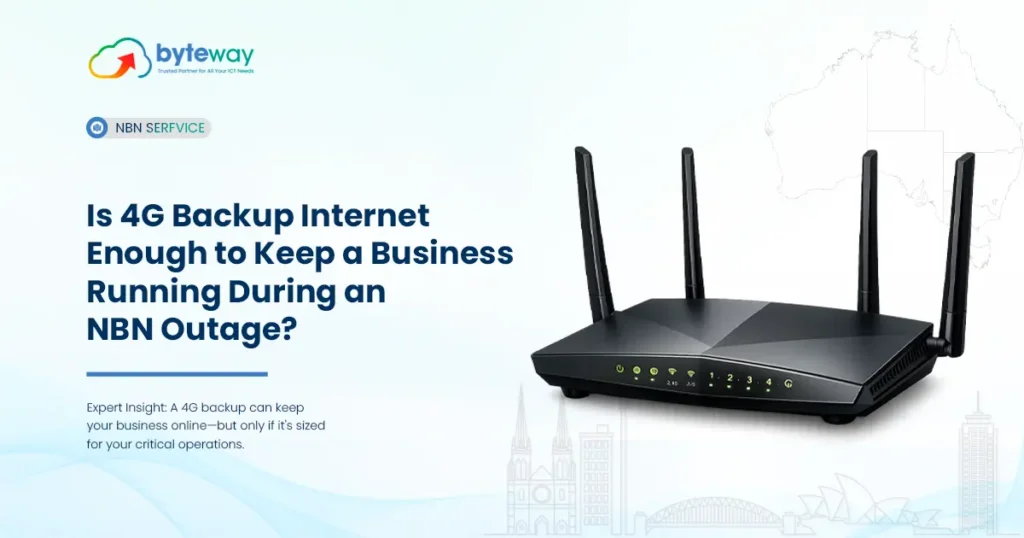
When your NBN drops, everything that runs on it stops EFTPOS, phones, email, cloud apps, bookings. For a business, an hour offline is lost sales and frustrated customers. 4G backup internet is the most common fix, but “will 4G actually be enough?” is the real question. Here’s the honest answer, what 4G failover can and can’t do, and how to know if it’s right for your business.
Let’s break down when 4G is plenty, and when it isn’t.
What is 4G backup internet, and how does it work?
4G backup internet is a secondary connection that uses the mobile network to keep your business online when your primary connection (usually NBN or fibre) fails. It runs through a failover router with a 4G SIM.
Here’s the important part: it’s automatic. The router constantly checks your main connection, and the moment it drops, it switches everything over to 4G — usually within seconds. When the NBN comes back, it switches back. Your team often barely notices.
This is what turns 4G from “budget mobile data” into a genuine business continuity tool. It’s not your main internet — it’s your insurance policy.
Is 4G backup actually enough to keep a business running?
For the large majority of businesses, yes. During an outage you don’t need your full bandwidth — you need your critical systems to keep working. 4G comfortably handles:
- EFTPOS / card payments — so you keep taking money
- VoIP / phone calls — so customers can still reach you
- Email and messaging
- Cloud apps (Microsoft 365, Xero, booking systems)
- A handful of staff working normally
Where 4G can feel stretched is with many users hammering the connection at once, or heavy tasks like large file transfers, video conferencing for a whole team, or bandwidth-hungry operations.
The mindset shift: backup internet isn’t meant to replicate your full connection. It’s meant to keep you trading until the main line returns.
4G vs 5G backup internet: which does your business need?
Both work as backup. The difference is bandwidth and cost.
| Factor | 4G backup | 5G backup |
|---|---|---|
| Speed | Solid for essentials | Much faster, near-fibre |
| Coverage | Widest in Australia | Growing, best in metro |
| Cost | Lower | Higher |
| Best for | Most SMBs, essential continuity | High-bandwidth or many-user sites |
| Latency | Low enough for VoIP/EFTPOS | Lower |
A practical tip: choose a 4G/5G-capable router even if you use 4G today. It future-proofs you as 5G coverage expands, with no hardware change needed later.
Why 4G backup matters more now: the 3G shutdown?
Here’s a current fact many businesses missed: Australia’s 3G networks were switched off by late 2024 (Optus on 28 October 2024; TPG/Vodafone earlier). That freed up spectrum to make 4G and 5G faster and more reliable good news for backup.
But it also had a sting: older backup devices, alarms, EFTPOS terminals and routers that relied on 3G stopped working. If your “backup” was set up years ago, it may quietly be dead. This is a good moment to check that your failover hardware is genuinely 4G/5G-capable.
Quick Answer: Does the 3G shutdown affect my backup internet?
Yes — if your backup device relied on 3G, it stopped working when the networks were switched off in late 2024. Any modern 4G/5G failover router is unaffected and actually benefits from the freed-up spectrum. If your backup connection is a few years old, verify it’s 4G/5G-capable, because a dead backup is worse than none you think you’re covered when you’re not.
When is 4G backup NOT enough?
Being honest, 4G backup has limits. You may need more than 4G if you:
- Run a large team all needing bandwidth at once during an outage
- Depend on constant heavy uploads or whole-office video conferencing
- Operate a mission-critical site where even a slight slowdown costs real money (trading floors, large call centres)
- Are in an area with weak 4G signal
In those cases, the answer is usually 5G backup, a second fixed line (for example dedicated fibre plus NBN), or a combination. For a typical retail store, office, clinic or café, though, 4G is genuinely enough.
What about data limits on 4G backup?
A fair question, since backup runs on a mobile plan. Two points:
- Because backup only kicks in during outages, most businesses use very little backup data across a year outages are occasional.
- Still, choose a plan with enough data headroom for a sustained outage (a full day or two), so you’re not throttled mid-crisis. A business-grade backup plan sizes this properly.
How to set up reliable 4G backup for your business
- Assess your critical systems — what must keep running during an outage (EFTPOS, phones, key apps)?
- Check your 4G signal — confirm strong coverage at your premises.
- Choose a 4G/5G-capable failover router — future-proofs you.
- Set automatic failover — no manual switching.
- Size the data plan — enough for a sustained outage.
- Test it — simulate an outage and confirm everything critical stays up.
- Consider your phones — pair backup with hosted phone failover so calls reroute too.
Byteway Expert Insight
The most common thing we see in Melbourne is a business that assumes it has no options during an NBN outage — so it just closes the doors and waits, losing a day of trade. The second most common is a business that thinks it has backup, but the device is an old 3G unit that stopped working in 2024 and nobody noticed.
What we’ve learned is that 4G backup is one of the highest-return, lowest-cost resilience moves a business can make — but only if it’s set up around what actually matters. We start by asking what has to keep running: for a café it’s EFTPOS, for a clinic it’s phones and bookings, for an office it’s email and cloud apps. Size the backup to those, automate the failover, test it once, and an NBN outage becomes a non-event instead of a lost day. The honest test is simple: unplug your NBN on purpose and see what still works. That’s when you find out whether your backup is real.
Is Byteway a good choice for 4G business backup internet?
Yes — because Byteway sets up 4G backup around your critical systems and pairs it with your phones and internet, not as a standalone gadget. Byteway supplies 4G/5G-capable failover routers with automatic switchover, right-sized data plans, strong-coverage network selection, and local support — plus the option to reroute your phones during an outage too. It’s continuity designed as a whole, so an NBN drop doesn’t stop your business.
Where Byteway differs from a box-only reseller:
- Set up around your business — backup sized to your critical systems, not a generic plan.
- Phones + internet together — hosted phone failover paired with connection failover, so calls survive too.
- One local team for internet, phones, cyber security and IT support — tested and supported, not just shipped.
Anyone can sell you a 4G router. The value is in configuring it so the right things stay online, and proving it works before you need it.
Turn an NBN outage into a non-event
An outage doesn’t have to cost you a day of trade. The right 4G backup keeps you selling, answering calls and serving customers until your main connection returns — automatically.
Get a free backup connectivity quote. We’ll check your 4G/5G coverage, work out what needs to keep running, and set up automatic failover sized to your business — tested, not just shipped.
👉 Get your free backup connectivity quote
Frequently Asked Questions
Is 4G backup internet enough for a business during an NBN outage?
For most small-to-medium businesses, yes. 4G comfortably keeps EFTPOS, phones, email and cloud apps running during an outage, which is what backup is for. It may be stretched only if a large team needs heavy bandwidth at once — then 5G or a second fixed line is worth considering.
How quickly does 4G failover switch over?
Typically within seconds. A dual-WAN or 4G failover router constantly monitors your main connection and automatically switches to 4G the moment it drops, then switches back when the primary returns. There’s no manual step, so downtime during the switch is minimal.
4G or 5G backup — which is better for business?
4G suits most businesses needing essential systems running during outages, with the widest coverage and lower cost. 5G is better for high-traffic sites or teams needing near-full performance on backup. A 4G/5G-capable router lets you use whichever your location supports and future-proofs you.
Will the 3G shutdown affect my existing backup?
If your backup device relied on 3G, it stopped working when the networks were switched off in late 2024. Modern 4G/5G routers are fine and benefit from the freed-up spectrum. If your backup is a few years old, check it’s genuinely 4G/5G-capable — a dead backup is worse than knowing you have none.
Do I need a lot of data for 4G backup?
Usually not, because backup only activates during outages, which are occasional. What matters is enough headroom to cover a sustained outage (a day or two) without throttling. A business backup plan is sized for that. Frequently-offline or very heavy sites may want a larger allowance.
Can 4G backup keep my EFTPOS and phones working?
Yes. EFTPOS and VoIP phones use relatively little bandwidth and work well over 4G, so both keep running during an outage with a properly configured failover setup. Pairing connection failover with hosted-phone call rerouting ensures customers can still reach you.
Is 4G backup suitable for multi-site or rural businesses?
Yes. Multi-site businesses can deploy failover at each location, and 4G’s wide coverage makes it well suited to regional and rural sites where a second fixed line isn’t available. In weak-signal areas, an external antenna or 5G (where available) can strengthen the backup.
