

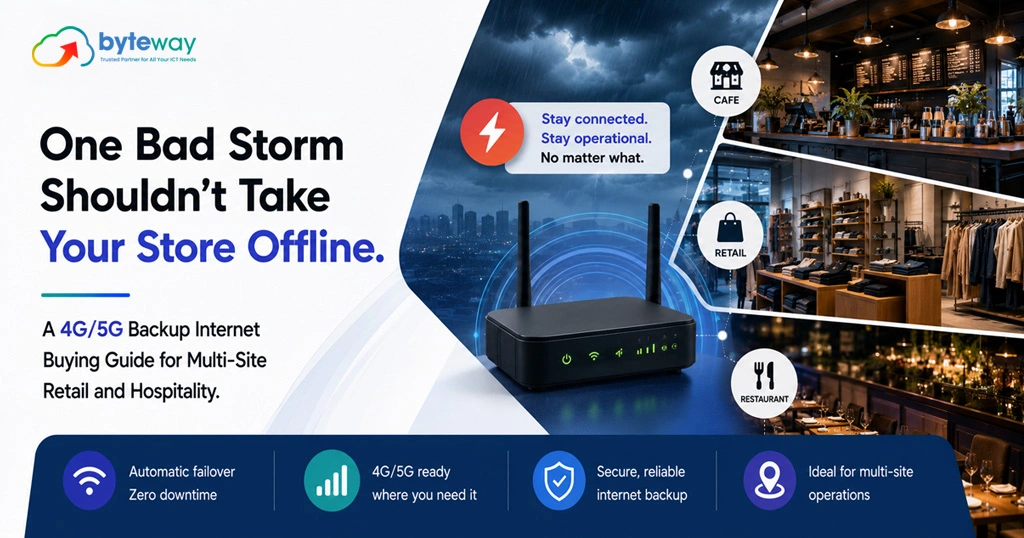
Byteway sets up connectivity for multi-site retail and hospitality businesses across Australia, and the call we dread on your behalf is the one that starts with “the internet’s down and we can’t take payments.” When a store or venue loses its connection, it does not slow down, it stops. EFTPOS declines, the POS freezes, online orders and bookings vanish. This guide walks through how to choose 4G or 5G backup internet so that one bad storm, one cut cable or one carrier outage never takes a site offline again.
Here is the short version before the detail. Good 4G or 5G backup internet automatically takes over the moment your main connection drops, keeping payments, POS and bookings running without staff doing anything. When you choose it, the things that matter are automatic failover, enough data allowance, reliable signal, the right router, a carrier different from your primary line, the ability to prioritise payments on limited bandwidth, and consistent, centrally managed setups across every site. Get those right and an outage becomes a non-event your customers never notice.
Why an outage is so expensive for retail and hospitality?
For an office, an internet outage is annoying. For a store or venue, it is a closed door.
Modern retail and hospitality run on the connection. Cloud-based POS, EFTPOS and card payments, online ordering, table and room bookings, loyalty apps, even the phones, all need internet. When it drops, staff cannot take payment, customers walk out, and the queue becomes a scene. In hospitality, a Friday-night outage during service is lost covers you never get back. In retail, an outage during a sale is revenue walking to the shop next door.
Now multiply that by every site you run. A single store might lose its connection rarely. Across a network of sites, an outage somewhere, a storm, a cut cable, a carrier fault, a hardware failure, is close to a monthly certainty. Without backup, you are simply waiting for it to be your busiest site’s turn on your busiest day.
What 4G/5G backup internet actually does?
A 4G or 5G backup connection is a second path to the internet over the mobile network, sitting behind your main connection. When the primary link fails, a failover router automatically switches traffic to the mobile connection, usually within seconds, and switches back when the main line returns. Done well, staff never touch anything and often never notice. Payments keep processing, the POS stays live, and the outage becomes invisible to customers.
The key phrase is “done well.” A cheap dongle someone plugs in during an outage is not backup; it is a scramble. Real backup is automatic, always-ready and tested. That is what this guide helps you buy.
The buying guide: what to look for
1. Automatic failover, not manual
This is non-negotiable. The connection must switch over on its own, instantly, without a staff member finding a device, plugging it in and reconnecting the POS. During a Saturday rush, nobody has time for that, and the whole point is that the outage is handled before anyone notices. Look for a proper failover router that monitors the primary link and cuts over automatically.
2. 4G or 5G: which you actually need
5G offers much higher speeds and is well suited to sites that need to run a lot during an outage, or as a strong backup where coverage is good. 4G is widely available, reliable, and often perfectly adequate to keep payments, POS and core systems running. The right choice depends on the site’s location, coverage and how much it needs to do on backup. Many sites run 4G today and move to 5G as coverage and needs grow. Note too that older 3G networks were switched off in Australia in late 2024, so any backup solution must be 4G or 5G capable.
3. Enough data allowance to survive an outage
An outage can last hours. Your backup plan needs enough data to keep the site running for that long, more than people expect once you include POS, payments, and any cloud systems. Undersized data is a backup that fails partway through the emergency. Size the allowance for a realistic worst-case outage, not a five-minute blip.
4. Reliable signal, and the right antenna
Mobile backup is only as good as its signal. A site with weak indoor coverage, common in shopping centres, basements and thick-walled venues, may need an external antenna to get a dependable connection. Signal should be checked per site, not assumed, because the backup that works at head office may be useless in the back corner of store number seven.
5. The right router and hardware
The failover router is the heart of the setup. Business-grade dual-WAN or SD-WAN routers handle the switching cleanly, can prioritise critical traffic, and can be managed remotely. Consumer gear cannot. This is where cutting cost quietly undermines the whole solution.
6. A carrier different from your primary connection
If your backup runs on the same network as your main connection, a carrier-level outage takes out both at once. Choosing a mobile carrier different from your primary internet provider gives you genuine redundancy, so a fault in one network does not down the other. This is one of the most overlooked details, and one of the most important.
7. Prioritise payments on limited bandwidth
During an outage, backup bandwidth is precious. A good setup prioritises the traffic that matters, EFTPOS, POS, payments, over the traffic that does not, like guest wi-fi or background updates. That way the till keeps working even if the connection is running lean. Being able to shape traffic is what separates a backup that keeps you trading from one that crawls.
8. Consistency and central management across every site
For a multi-site business, this is the difference between a solution and a headache. Every site should run the same, properly configured setup, and you should be able to monitor and manage them centrally, seeing which sites are online, which have failed over, and which need attention, without visiting each one. A rollout that is configured consistently and managed centrally is what makes backup work across ten or fifty sites rather than just one.
9. Security on the backup path too
The backup connection is still a path into your systems, and it handles payment traffic. It needs the same security as your main line: a proper firewall, secure configuration and monitoring, not an unsecured device bolted on in a hurry. Connectivity and cyber security are one job, on the backup path as much as the primary.
Retail and hospitality specifics
The priorities differ slightly by setting. In retail, the non-negotiables are EFTPOS and POS, so payments never stop, plus any stock and loyalty systems. In hospitality, add bookings, online orders, kitchen display systems and table management, all of which fail together in an outage and all of which matter most at the busiest, worst-possible moment. Guest wi-fi, by contrast, should be first to be deprioritised on backup. Knowing what must stay up and what can wait is central to sizing and configuring the solution.
Common mistakes to avoid
- The drawer dongle. A mobile device that lives in a drawer until an outage is not backup. It must be automatic and always ready.
- Same carrier as the primary. No real redundancy if one network outage downs both.
- Undersized data. A plan that runs out mid-outage fails when it matters.
- Ignoring signal per site. Coverage varies; assuming it is fine is how backup fails at one location.
- Inconsistent rollouts. Every site set up differently is unmanageable and unreliable at scale.
- No testing. A backup nobody has tested is a hope. It should be proven at each site.
Byteway Expert Insight
The pattern we see with multi-site operators is that backup gets treated as a per-store afterthought, until one bad outage during peak trade at a flagship site makes it a board-level priority overnight. The businesses that handle it well decide in advance what must never go down, payments and POS above all, and roll out a consistent, automatic, centrally managed backup across every site so an outage anywhere is a non-event. It is not the most exciting line in the budget, but few things protect trade as directly. The goal is simple: your customers should never know a site lost its main connection, because the till never stopped.
How Byteway helps?
- We assess each site’s connection and coverage, and design a 4G or 5G backup that fits how it trades.
- We set up automatic failover with the right router, data allowance, carrier diversity and payment prioritisation.
- We roll it out consistently across all your sites and manage it centrally, connected to your managed IT, business internet and cyber security.
Keep every site trading, whatever the weather
One outage should never take a store offline. Byteway designs, rolls out and manages 4G/5G backup internet for multi-site retail and hospitality, so your tills keep running and your customers never notice. Book a multi-site backup internet assessment. 👉 Book your assessment
FAQs
What is 4G/5G backup internet for retail?
It is a second internet connection over the mobile network that automatically takes over when a store’s main connection fails, keeping EFTPOS, POS and bookings running. Byteway designs and installs 4G and 5G backup internet for retail and hospitality so an outage never stops trade.
Will my EFTPOS still work if the internet goes down?
Only if you have automatic failover backup in place; otherwise card payments and cloud POS stop. Byteway sets up 4G/5G backup internet that prioritises EFTPOS and payments, so the till keeps working through an outage.
Should I choose 4G or 5G for backup?
4G is widely available and often enough to keep payments and POS running; 5G suits sites needing higher speed or heavier use on backup. Byteway checks coverage at each site and recommends the right 4G or 5G backup for your locations.
How much data does backup internet need?
Enough to run the site through a realistic multi-hour outage, including payments and cloud systems, which is usually more than expected. Byteway sizes the data allowance per site so your backup internet does not run out mid-outage.
Can I manage backup across many sites at once?
Yes, with a consistent rollout and central management you can monitor every site’s connection and failover status remotely. Byteway rolls out and centrally manages multi-site backup internet so you can see the whole network at a glance.
Is backup internet secure enough for payments?
It is when set up properly, with a business-grade firewall, secure configuration and monitoring on the backup path. Byteway secures both your primary and 4G/5G backup connections so payment traffic is protected either way.
