

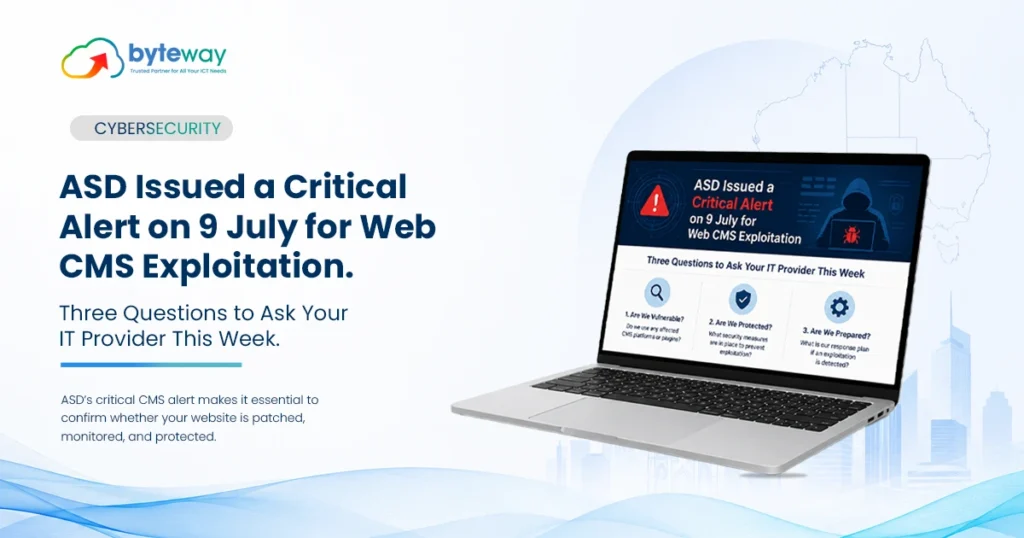
If someone looks after your website, firewall and IT, you probably assume they are already watching for critical security alerts.
But for many small businesses, that responsibility is split between a web developer, hosting provider, marketing team and IT provider which means nobody is actually checking everything.
That matters right now.
On 9 July 2026, the Australian Signals Directorate’s Australian Cyber Security Centre (ASD’s ACSC) issued a Critical alert about a large-scale campaign targeting vulnerable website content management systems (CMS) and plugins. Just three weeks earlier, ACSC had issued another Critical alert involving Fortinet firewalls and VPN gateways.
The two incidents are different, but they point to the same problem: businesses need someone actively checking whether their internet-facing systems are patched, secure and already compromised.
This guide explains what the alerts mean, what you should check, and how Byteway can help.
What was the ACSC Critical alert in July 2026?
On 9 July 2026, ASD’s ACSC published a Critical alert warning about a large-scale global campaign exploiting known vulnerabilities in website CMS platforms and plugins.
The campaign includes Australian businesses, with many small and medium-sized businesses already affected.
The attack method is relatively straightforward.
Attackers automatically scan internet-facing websites looking for software with known vulnerabilities. When they find an unpatched system, they exploit it and can install a webshell — code that gives them persistent remote access to the web server.
The affected products include around 17 CMS platforms and plugins, with WordPress plugins representing a major attack vector. Other products mentioned include Craft CMS, Joomla JCE, MaxSite CMS and MetInfo CMS.
Once attackers gain access, the website can become more than just a defaced webpage.
They may be able to:
- Modify or disrupt the website
- Capture credentials entered by visitors
- Access information stored on the server
- Upload malware that targets your customers
- Use the compromised server as a pathway into other systems
That last point is particularly important.
Your website may be a marketing asset to you, but an attacker can see it as an entry point into your business.
The biggest problem isn’t a zero-day
There is an uncomfortable detail behind the July alert.
The vulnerabilities involved already have patches available.
This means businesses are not necessarily being compromised because attackers have discovered an unknown vulnerability. Many are being compromised because known vulnerabilities have not been fixed.
The referenced CVEs range from recent disclosures back to vulnerabilities dating as far back as 2020.
That creates a simple security lesson:
Knowing about a vulnerability is not the same as fixing it.
ASD’s ACSC has also noted that the speed and scale of scanning and exploitation may indicate the use of AI-assisted tooling, potentially reducing the time businesses have between a vulnerability being publicly known and attackers attempting to exploit it.
For a small business, waiting until someone notices something is wrong is no longer a sensible security strategy.
What about the Fortinet Critical alert?
The website campaign wasn’t the only recent warning.
On 18 June 2026, ASD’s ACSC published an alert concerning a widespread campaign targeting Fortinet firewalls and VPN gateways. The alert was subsequently reissued on 22 June following further analysis from Fortinet.
The important distinction is that this is not simply a patching problem.
The campaign involved compromised administrator and VPN credentials being reused to access FortiGate devices.
That means a business could have a fully patched firewall and still have a problem if exposed credentials have never been changed.
For organisations using Fortinet equipment, the practical checks include:
- Have administrator credentials been rotated?
- Have VPN credentials been changed?
- Is the firewall running supported firmware?
- Is the management interface exposed to the internet?
- Is MFA enabled for external access?
- Have authentication logs been reviewed for unusual activity?
Patching and credential rotation are two different security tasks.
Fixing the software does not automatically invalidate credentials that may already have been compromised.
What should you ask your IT provider this week?
You don’t need to understand CVEs, webshells or firewall firmware to have a useful conversation with your IT provider.
Ask these three questions.
1. Is our website fully patched?
Don’t settle for:
“It updates automatically.”
Ask:
When was it last checked and verified?
Your provider should be able to confirm that the CMS, plugins and other internet-facing components are running supported versions and that updates have actually been applied.
2. Have you checked whether we’ve already been compromised?
This is arguably the most important question.
Patching closes the vulnerability. It does not remove an attacker who may already have access.
If a webshell was installed before the patch, it may remain on the server.
A proper assessment should therefore look for indicators such as:
- Unexpected files
- Abnormal changes to website files
- Suspicious plugin-directory activity
- Unusual web requests
- Unknown administrator accounts
- Unexpected scripts or processes
- Suspicious authentication activity
If evidence of compromise is found, the system should be treated as compromised and investigated rather than simply patched and returned to normal.
3. If we use Fortinet, have all administrator and VPN credentials been rotated?
Don’t just ask whether the firewall is patched.
Ask whether the relevant credentials have been changed and secured, whether MFA is enforced and whether authentication logs have been reviewed.
A clear answer should include when these checks were completed.
What if nobody manages your website?
This is more common than many business owners realise.
Your website might have been built several years ago by a web agency. The agency no longer manages it. Your hosting company manages the server but not the CMS. Your marketing person manages content but not security. Your IT provider manages laptops and Microsoft 365 but has never been given website access.
Everyone thinks someone else is responsible.
That creates a security gap.
If there is no clearly assigned owner, start with these steps:
1. Identify who has access
Find out who controls:
- Website hosting
- CMS administration
- Domain registration
- DNS
- Website backups
- Plugin management
2. Update the CMS and plugins
Make sure the CMS and all installed plugins are supported and patched.
Remove plugins you no longer use rather than leaving unnecessary software installed.
3. Check for existing compromise
Don’t assume that updating the software means the site is clean.
Have someone appropriately qualified inspect the website and server for signs of unauthorised access.
4. Secure administrator accounts
Enable MFA wherever available and eliminate unnecessary administrator accounts.
5. Check your backups
Make sure you have a usable backup — and, more importantly, that somebody has tested restoring it.
A backup that has never been restored is an assumption, not a recovery strategy.
6. Assign ongoing responsibility
Someone should own website security going forward.
Not “the website developer probably does it.”
Not “hosting should handle that.”
A named person or provider should be accountable for monitoring, patching and security checks.
Why website security is now a business risk?
It is easy to think of your website as separate from your IT environment.
Your computers contain business information.
Your Microsoft 365 account contains emails and documents.
Your firewall protects the network.
And your website is just the marketing department’s responsibility.
Attackers don’t necessarily see those boundaries.
A compromised website can potentially be used to:
- Steal information
- Capture credentials
- Distribute malware
- Attack your customers
- Establish persistence on the server
- Provide a pathway towards other systems
And if personal information is exposed, there can be a compliance consequence as well.
For businesses covered by the Privacy Act, a breach involving personal information may trigger assessment and notification obligations under the Notifiable Data Breaches scheme.
That turns a website security incident into more than an IT problem.
The difference between patching and vulnerability management
This is where many businesses have the wrong expectation.
Patching is one activity. Security management is an ongoing process.
A business can apply today’s security update and still be vulnerable tomorrow.
Effective vulnerability management involves:
Identify → Assess → Patch → Verify → Monitor → Respond
That means knowing what systems you have, understanding which vulnerabilities affect them, applying fixes, checking that those fixes worked, looking for signs of compromise and continuously monitoring for new threats.
For a small business, doing that manually across websites, firewalls, endpoints and cloud systems can quickly become unrealistic.
This is where managed IT and cybersecurity support can make a significant difference.
Byteway Expert Insight
The biggest lesson from the July ACSC alert isn’t that attackers have suddenly become incredibly sophisticated.
It is that ordinary vulnerabilities are being exploited at extraordinary speed and scale.
We regularly see the same responsibility gap in small businesses. A website was built by an agency years ago, the hosting provider looks after the server, the IT provider looks after computers and Microsoft 365, and the marketing team publishes content.
Everyone has a reasonable assumption that someone else is handling security.
Until a critical alert appears.
And there is another mistake we see repeatedly: patching is treated as the end of the job.
If a vulnerability has already been exploited, applying the patch doesn’t necessarily remove the attacker’s access. You need to check for compromise as well.
For a small business, this doesn’t need to become a massive security project. It starts with knowing what is exposed, who is responsible, whether systems are patched, whether MFA is enabled, whether backups work and whether anyone is actually monitoring for suspicious activity
How Byteway helps protect Australian businesses?
Byteway helps businesses move from reacting to security alerts to continuously managing their security exposure.
Our approach combines managed IT, cybersecurity and infrastructure support, so responsibility doesn’t get lost between different providers.
With Byteway, we can help you:
Identify vulnerabilities
Check internet-facing systems against known vulnerabilities and current security risks.
Manage patching
Keep supported websites, systems and infrastructure updated rather than relying on occasional manual checks.
Look for existing compromise
Where a vulnerability may already have been exploited, assess systems for indicators of unauthorised access.
Secure accounts and access
Implement MFA, strengthen administrator access and reduce unnecessary privileges.
Manage firewall security
Review firmware, administrator access, VPN security and exposure of management interfaces.
Protect your data
Use appropriate backup, recovery and security controls to reduce the impact of an incident.
Provide ongoing managed IT support
Instead of asking which provider handles which part of your technology, you have one team accountable for your IT environment.
Byteway brings together managed IT, cybersecurity, networks and cloud backup for Australian businesses.
Frequently Asked Questions
What was the ACSC Critical alert in July 2026?
ASD’s ACSC published a Critical alert on 9 July 2026 concerning a large-scale campaign exploiting known vulnerabilities in website CMS platforms and plugins. Attackers can exploit unpatched systems and install webshells that provide ongoing access to compromised web servers.
Which CMS platforms are affected?
The alert covers around 17 CMS products and plugins. WordPress plugins are a major vector, alongside products including Craft CMS, Joomla JCE, MaxSite CMS and MetInfo CMS. Businesses should check their specific software and versions against the current ACSC guidance.
Is my website vulnerable?
If your website uses an affected CMS or plugin and hasn’t been recently verified and patched, you should treat it as potentially exposed until checked.
Importantly, patching should be followed by a compromise assessment where appropriate.
Does patching remove an existing webshell?
No. Patching addresses the vulnerability that allowed exploitation, but it does not necessarily remove malicious code or persistence already installed on the server.
What is a webshell?
A webshell is code installed on a compromised web server that can provide an attacker with ongoing remote access. It may be used to modify a website, access information, capture credentials or facilitate further attacks.
How do I know if my Fortinet firewall is affected?
For the Fortinet campaign described by ASD’s ACSC, the concern involves potentially compromised credentials rather than simply an unpatched vulnerability.
Ask your IT provider to confirm credential rotation, supported firmware, MFA, management-interface exposure and authentication-log reviews.
Who should manage website security?
There should be a clearly identified person or provider responsible for website security. That responsibility should cover patching, vulnerability monitoring, access control, backups and compromise checks — not just website content.
Is website security included in managed IT?
It depends on the provider and scope of the agreement. Some managed IT providers focus primarily on endpoints, Microsoft 365 and internal infrastructure. Ask specifically whether your website, hosting, firewall and other internet-facing systems are included.
Don’t wait for the next Critical alert
The businesses most likely to be caught by campaigns like these aren’t necessarily the ones with sophisticated infrastructure.
They are often the ones where nobody is checking.
Your website may have been built years ago. Your firewall may still have old administrator credentials. Your plugins may have missed updates. Your backups may never have been tested.
The first step is finding out.
Request a free vulnerability assessment
Byteway can review your internet-facing systems, identify current vulnerabilities, check your security controls and give you a straightforward list of what needs attention.
No complicated security jargon. No vague “your systems look fine.”
Just a clear view of where you stand and what to fix first.
