
5G vs Fixed Wireless for Business Backup Internet: Which Should You Actually Get?
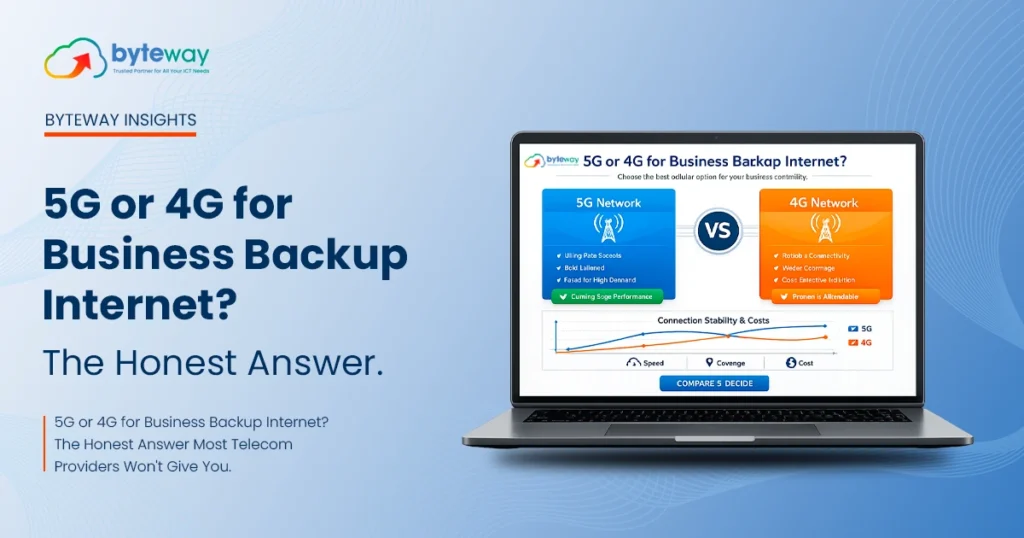
For most Australian businesses, 5G is the better backup internet option when you need higher speed, low latency and broad metro coverage, while 4G fixed wireless is the better choice when your backup connection only needs to cover essentials like EFTPOS, email and basic cloud tools at a lower cost. The right answer depends on what’s actually running during an outage not on which option is newer or faster on paper. Byteway assesses this for free before recommending either. The best backup internet solution is not determined by which technology is newer. It depends on what your business needs to keep operating when your primary internet connection fails. At Byteway, we assess your business requirements, internet usage, and location before recommending either option. What Is 5G Business Backup Internet? 5G business backup internet is a secondary internet connection that uses the 5G mobile network to keep a business online automatically if its main connection (NBN, fibre, or fixed wireless) goes down. It typically activates through automatic failover, switching traffic to the 5G connection within seconds of an outage being detected. 5G backup internet uses a dedicated 5G modem or router, separate from your primary connection, configured to take over automatically most businesses never notice the switch happen unless they’re actively monitoring it. 5G vs Fixed Wireless vs Traditional Broadband vs Satellite Factor 5G Backup 4G Fixed Wireless Backup Traditional Broadband (NBN/ADSL) Satellite (e.g. Starlink Business) Typical use as backup Strong fast failover, good for moderate-to-heavy use Strong fast failover, best for light/essential use Rarely used as backup (same outage risk as primary if same network) Used in regional/remote areas with poor mobile coverage Speed range Generally higher, varies significantly by location Generally lower but consistent for essential tasks N/A as backup not a true backup if sharing infrastructure Moderate, but latency is typically higher Latency Low Slightly higher than 5G, still usable for cloud apps and calls N/A Higher latency, can affect real-time calls Cost Higher Lower N/A Typically the highest ongoing cost Best suited for Multi-staff continuity, cloud-heavy operations EFTPOS, email, basic cloud tools, single-site retail/hospitality Not recommended as true backup Remote sites with no reliable mobile coverage How Fast Is 5G Backup Internet, Really? 5G backup internet speeds vary significantly by location and network congestion, but are generally well above what’s needed for backup purposes EFTPOS, email, video calls and standard cloud applications all run comfortably on 5G backup, even at the lower end of typical real-world speeds. Advertised 5G speeds are based on ideal network conditions. Real-world speed depends on: 5G vs Satellite Internet for Business Backup: Which Is Better? 5G is generally the better backup option for businesses within mobile network coverage, offering lower latency and lower cost. Satellite internet (such as Starlink Business) is the better choice specifically for businesses in regional or remote locations where mobile network coverage is weak or unavailable. Satellite isn’t “better” or “worse” in general it solves a coverage problem 5G can’t solve in genuinely remote areas, but it typically costs more and has higher latency, which matters for real-time tools like cloud phone systems or video calls. What Should a Small Business Look for in a 5G Backup Internet Plan? Small businesses should prioritise automatic failover speed, realistic (not just advertised) coverage at their specific address, flexible contract terms, and a provider that supports multiple devices on one connection rather than choosing based on advertised speed alone. Specifically: Are There Affordable 5G Backup Internet Options for Startups? Yes, for startups and small businesses with light backup needs (EFTPOS, email, basic cloud tools), a lower-tier 5G or 4G fixed wireless plan is usually sufficient and significantly cheaper than a full-speed enterprise-grade 5G plan, since backup connections don’t need to match primary connection speeds. The mistake many startups make is matching their backup plan’s price point to their primary connection’s importance, rather than to what the backup connection actually needs to handle. A right-sized backup plan, recommended after an honest assessment, is usually the affordable option not a compromise. Which 5G Backup Internet Is Best for High-Traffic or Multi-Device Businesses? High-traffic businesses and offices with multiple staff working simultaneously during an outage generally need a higher-tier 5G plan with stronger multi-device support and seamless failover, rather than a basic single-device 5G backup connection. For businesses where more than a handful of people need to stay productive during an outage not just keep essential systems alive the backup connection needs to be sized closer to a genuine secondary internet line, not an emergency-only fallback. Is Byteway Better Than Other 5G Business Backup Internet Providers in Australia? Byteway’s advantage isn’t claiming to be faster than every other provider it’s recommending the right connection type (5G or 4G fixed wireless) based on an actual assessment of what needs to keep running, rather than defaulting to the highest-margin option. Byteway also bundles backup connectivity with the broader network it manages, so failover, IT support and connectivity sit with one provider instead of three. What this looks like in practice: Byteway vs Other Telecoms Factor Other Telecoms Byteway Plan recommendation approach Standard plan tiers, generally positioned toward higher-speed options Assessment-based recommendation matched to actual backup needs Bundled with other services Internet only, typically Internet, IT support, phone systems and security can sit with one provider Support structure Large-scale call centre support Australian-based support team, local installation Contract flexibility Often standard fixed-term plans No lock-in contract options available This isn’t a claim that Byteway is faster on a tower-by-tower basis than any specific competitor 5G speed depends heavily on physical location and tower congestion regardless of provider. The genuine difference is in how the right plan gets chosen, and how connectivity fits into the rest of a business’s IT setup. Get a Free Backup Connectivity Assessment Choosing between 5G and 4G fixed wireless for backup internet isn’t really a question about which technology is “better” it’s a question about what your business actually needs to keep running. Byteway will assess your current setup, your location’s real-world
New Financial Year IT Budget: What Melbourne Businesses Should Fix Before Q1 2027
IT budget planning in Australia for FY27 means reviewing what you actually spent last year against what broke, fixing the gaps before Q1 2027, and checking your eligibility for the $20,000 instant asset write-off before buying new equipment. Most Melbourne businesses get this wrong by budgeting for new tools instead of budgeting for the failures that already cost them money in FY26. The financial year just rolled over. If you’re a Melbourne business owner, you’ve either just finished a frantic scramble to use up the FY26 budget, or you’ve quietly decided to “sort out IT properly this year” and then moved on to something more urgent. There’s a less obvious reason this review matters beyond tax timing. The Australian Signals Directorate’s Cyber Security Centre (ASD’s ACSC) received more than 84,700 cybercrime reports nationally last financial year roughly one every six minutes. An IT budget review isn’t just a tax-timing exercise; it’s also the one structured moment most small businesses actually take to check whether they’re exposed. Both reactions to EOFY the scramble and the postponement skip the part that actually matters: working out what went wrong last year before deciding what to spend this year on. Here’s the part nobody tells you. Most small businesses don’t have an IT budget problem. They have an IT visibility problem they don’t actually know what they spent, what it bought them, or what kept failing, so the new budget just repeats last year’s guesswork with a different number attached. This guide walks through what to check first, what the FY27 instant asset write-off rules actually mean for your tech spending, and the specific fixes worth prioritising before Q1 2027. What Is IT Budget Planning, and Why Does It Need to Happen Now? IT budget planning is the process of reviewing last year’s technology spending and incidents, then allocating funds based on what actually broke or is at risk not on renewal emails or guesswork. For Australian businesses, July is the ideal time, since FY26 figures are final and FY27 spending decisions can still be timed for tax benefits. IT budget planning is the process of reviewing your technology spending, support costs, and incidents from the previous year, then allocating funds for the year ahead based on what genuinely needs fixing or upgrading not on a vendor’s renewal email. July matters specifically because: Waiting until May or June to think about this means you’re reacting to a deadline instead of making a decision. What Actually Changed With the Instant Asset Write-Off for FY27? The $20,000 instant asset write-off was proposed to become permanent from 1 July 2026 under the 2026–27 Federal Budget, announced 12 May 2026. It is not yet law it still needs to pass Parliament though it is widely expected to. The $20,000 instant asset write-off the threshold that lets eligible small businesses immediately deduct equipment costing under $20,000 rather than depreciating it over several years was proposed to become a permanent feature of the tax system from 1 July 2026, announced in the 2026–27 Federal Budget on 12 May 2026. As of now, this change is not yet law; it still needs to pass Parliament, though it’s widely expected to. A few things business owners consistently get wrong about this: Why this matters for IT specifically: Most IT equipment laptops, networking gear, phone systems, CCTV hardware, backup appliances sits comfortably under $20,000 per item. That makes this one of the few tax measures that directly rewards proactively fixing IT problems now, rather than letting them drag on. For the full eligibility rules, the ATO’s instant asset write-off page is the authoritative source worth checking directly with your accountant before committing to large purchases. What Should You Actually Review Before Setting Your FY27 IT Budget? Before deciding what to buy, work through what FY26 actually cost you. Most of this information already exists in your invoices and support tickets it just hasn’t been pulled together. 1. How much did downtime actually cost you? Add up every outage, slow internet incident, or “the system’s down again” afternoon from the last year. Even a rough estimate (lost billable hours × hourly rate) usually reveals more value at risk than the cost of fixing the underlying issue. 2. What did you pay for support, and what did you get for it? If your IT support bill kept rising without incidents actually decreasing, that’s a sign you’re paying for reactive fixes instead of proactive management a different service model, not just a different price. 3. Are you paying for software or hardware nobody uses? Licence audits regularly turn up unused seats, duplicate tools, or legacy software still being paid for out of habit. Microsoft 365 licence sprawl is one of the most common examples businesses adding seats as staff join but rarely removing them when staff leave or roles change. The same applies to Google Workspace environments. This is usually the fastest place to free up budget for something that matters more. 4. What’s actually out of warranty or end-of-life? Equipment that’s out of manufacturer support is a ticking risk, not a cost saving. If a server, firewall, or backup device is past end-of-life, that’s a Q1 2027 problem whether it’s budgeted for or not. The same applies to ageing laptops that can’t run Windows 11 securely Microsoft’s own support timelines mean unsupported devices increasingly become the weakest point in a network, not just the slowest. 5. Did a cyber incident or near-miss happen, and was it reported correctly? This isn’t informal guidance it’s a legislated requirement under the Cyber Security Act 2024. The mandatory ransomware reporting regime has applied to businesses with an aggregated turnover of $3 million or more since 30 May 2025, requiring a report to ASD’s Australian Cyber Security Centre within 72 hours of making a ransomware payment. This isn’t a hypothetical risk. According to ASD’s Annual Cyber Threat Report 2024–25, the average self-reported cost of a cyber incident to a small Australian business rose 14% to $56,600 last financial year,